Reduce basic-training consumption
Practise travel, swing and implement controls on the simulator to reduce reliance on real-machine fuel, operating time and construction sites during these lessons.
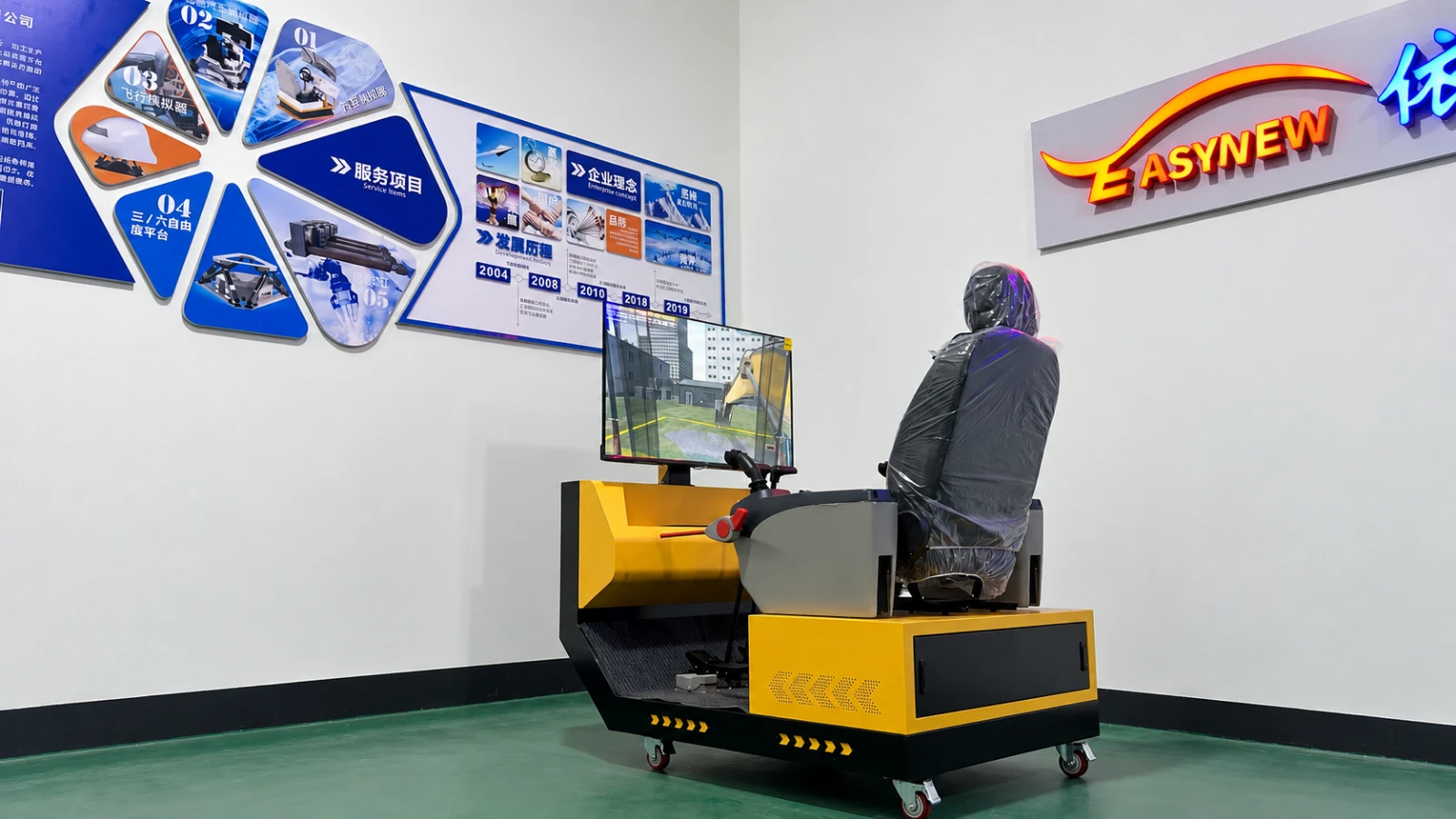
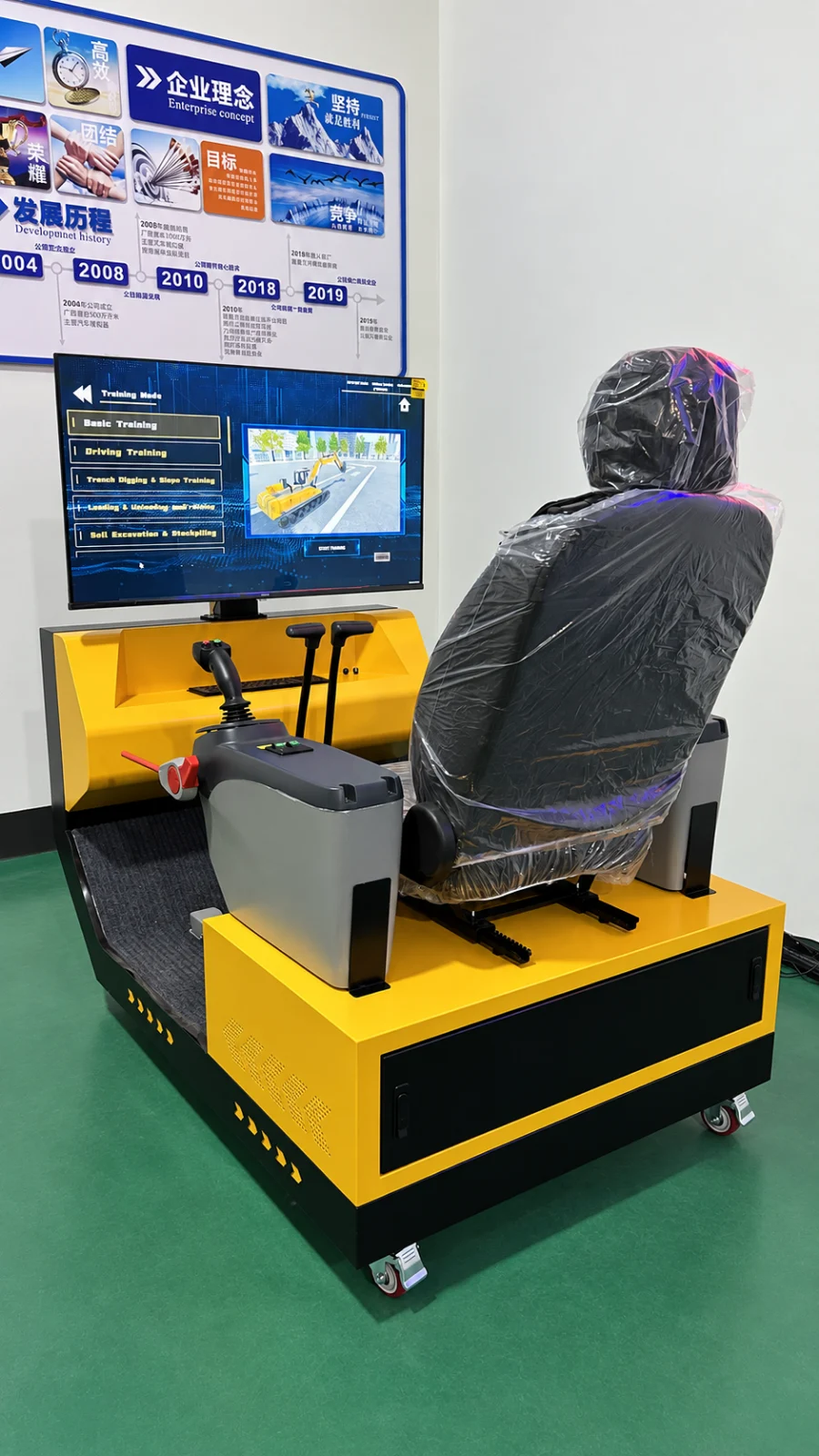
Excavator Simulator / YSL-EXC-S40-V1
An excavator simulation terminal for construction-equipment training and vocational teaching.
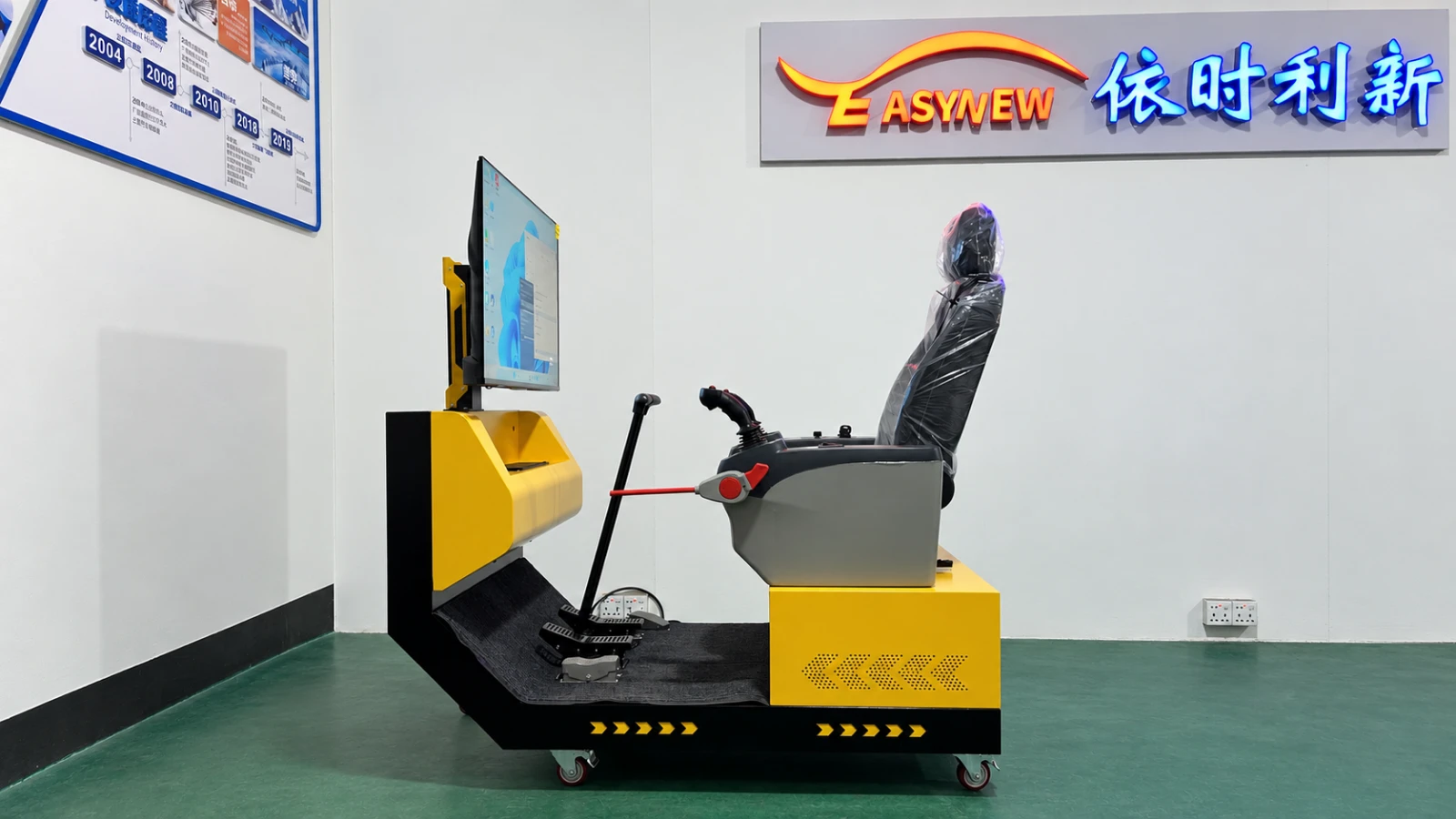
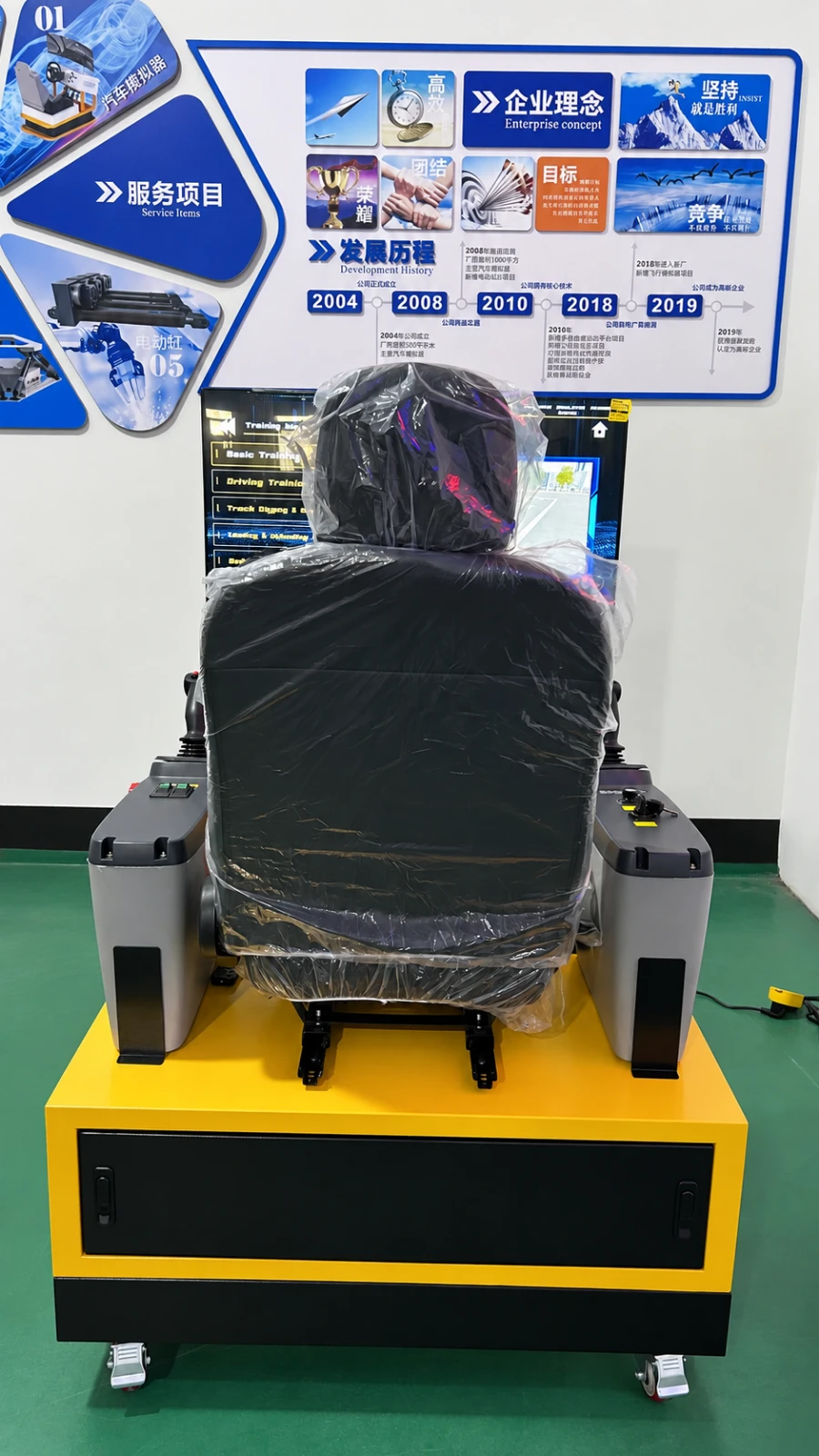
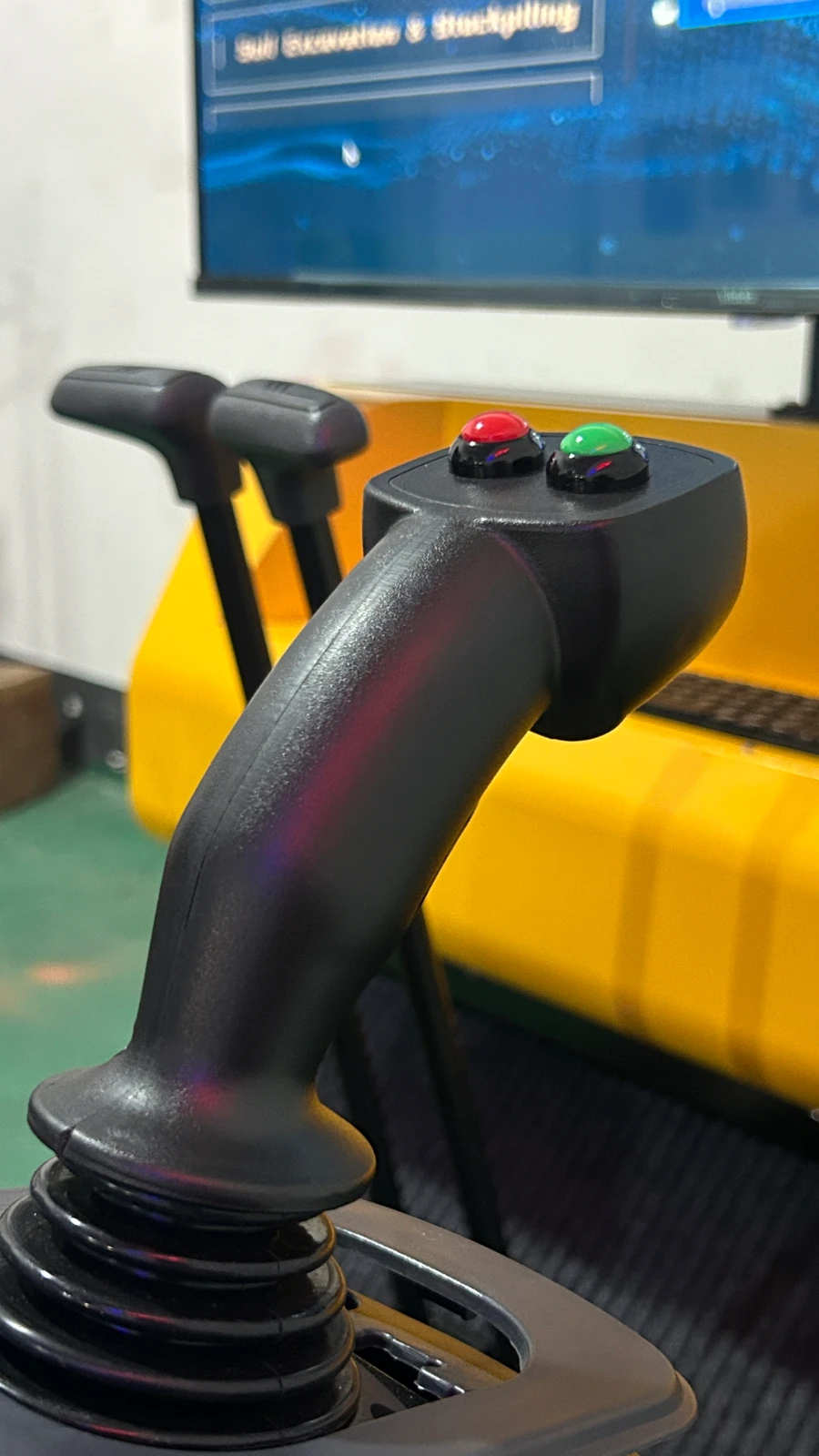
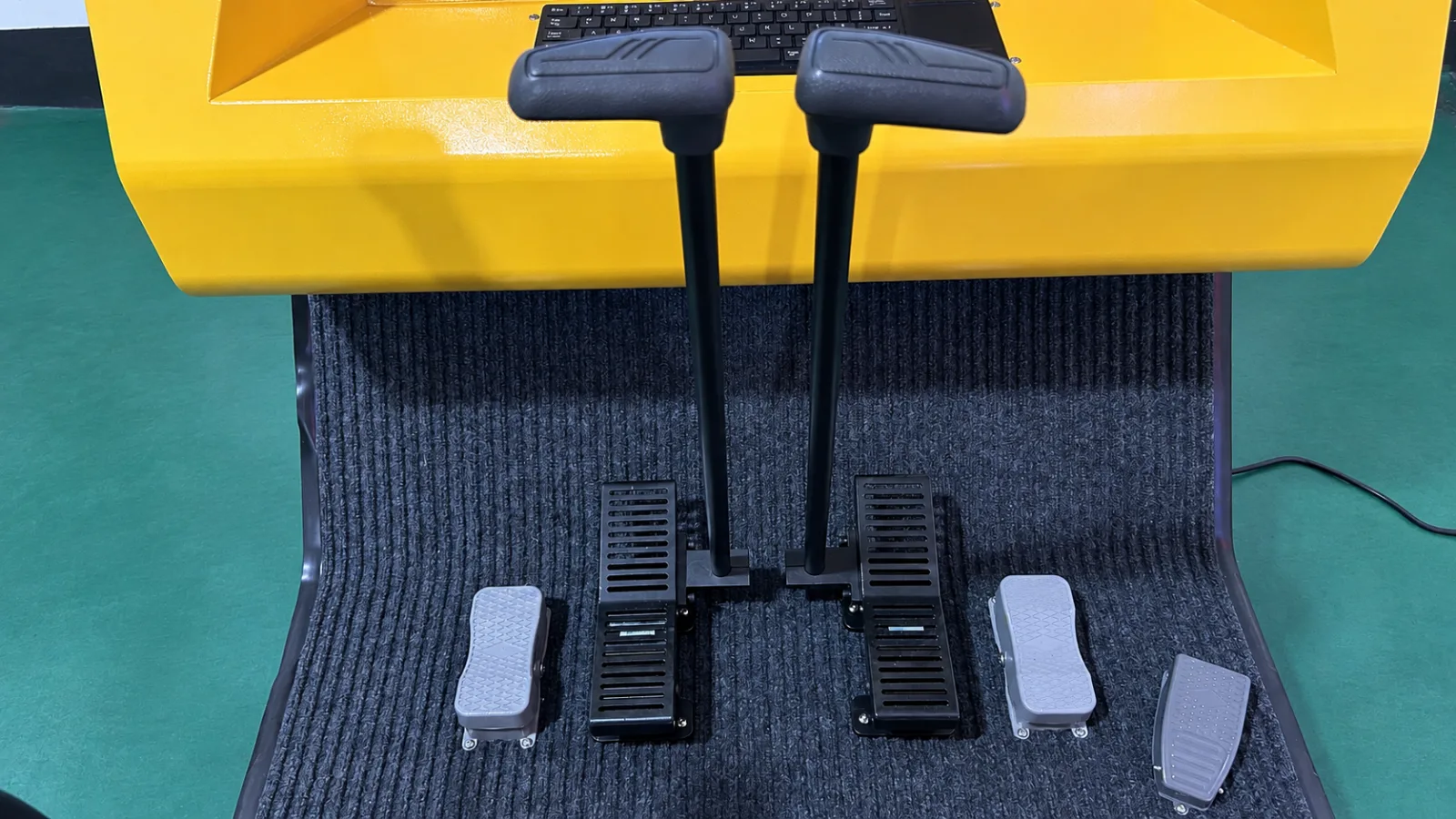
A seat, twin joysticks, foot controls and visual display support familiarisation with physical controls and virtual operations, supplementing real-machine training.
APPLICATIONS & VALUE
Practise travel, swing and implement controls on the simulator to reduce reliance on real-machine fuel, operating time and construction sites during these lessons.
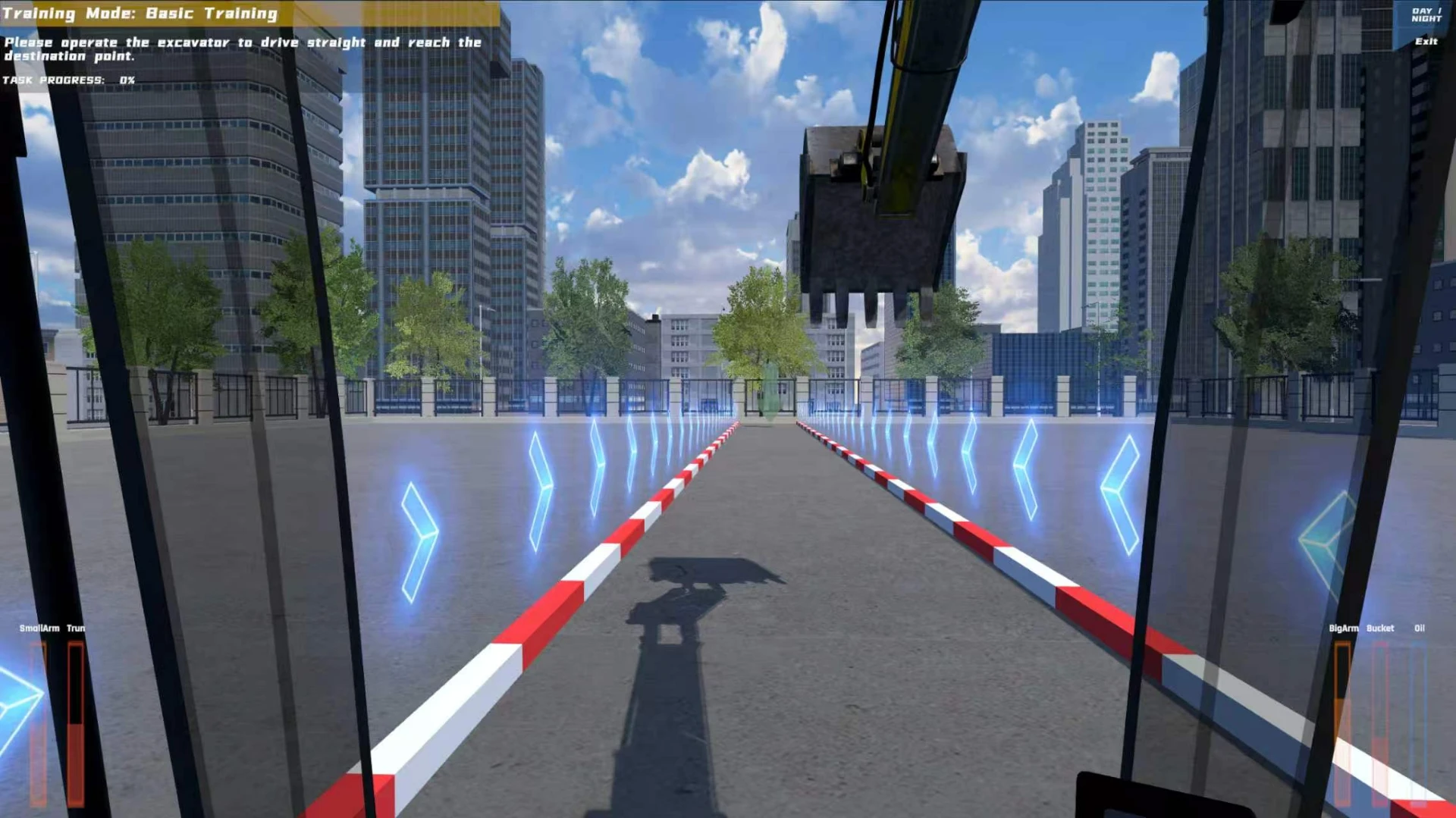
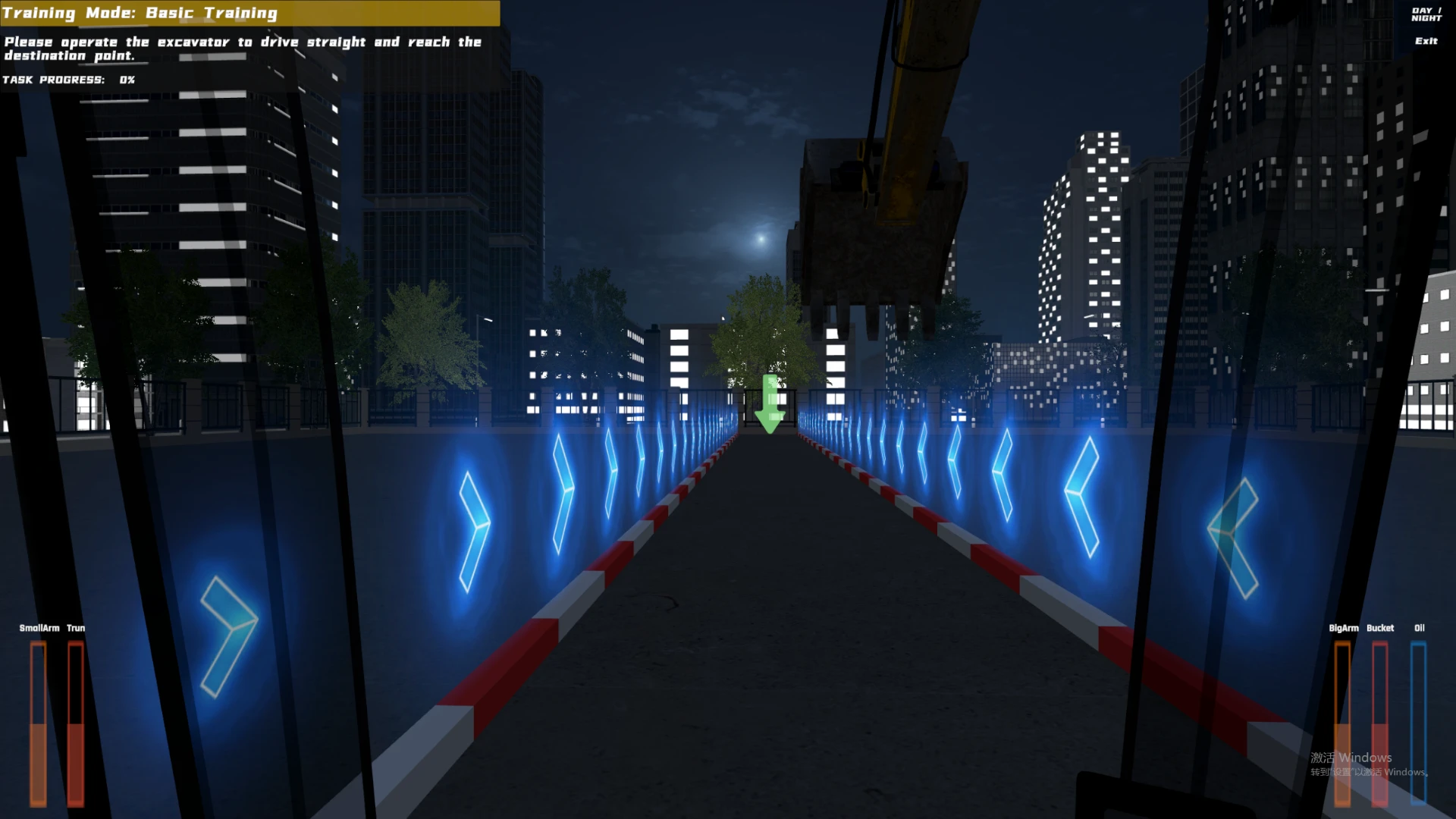
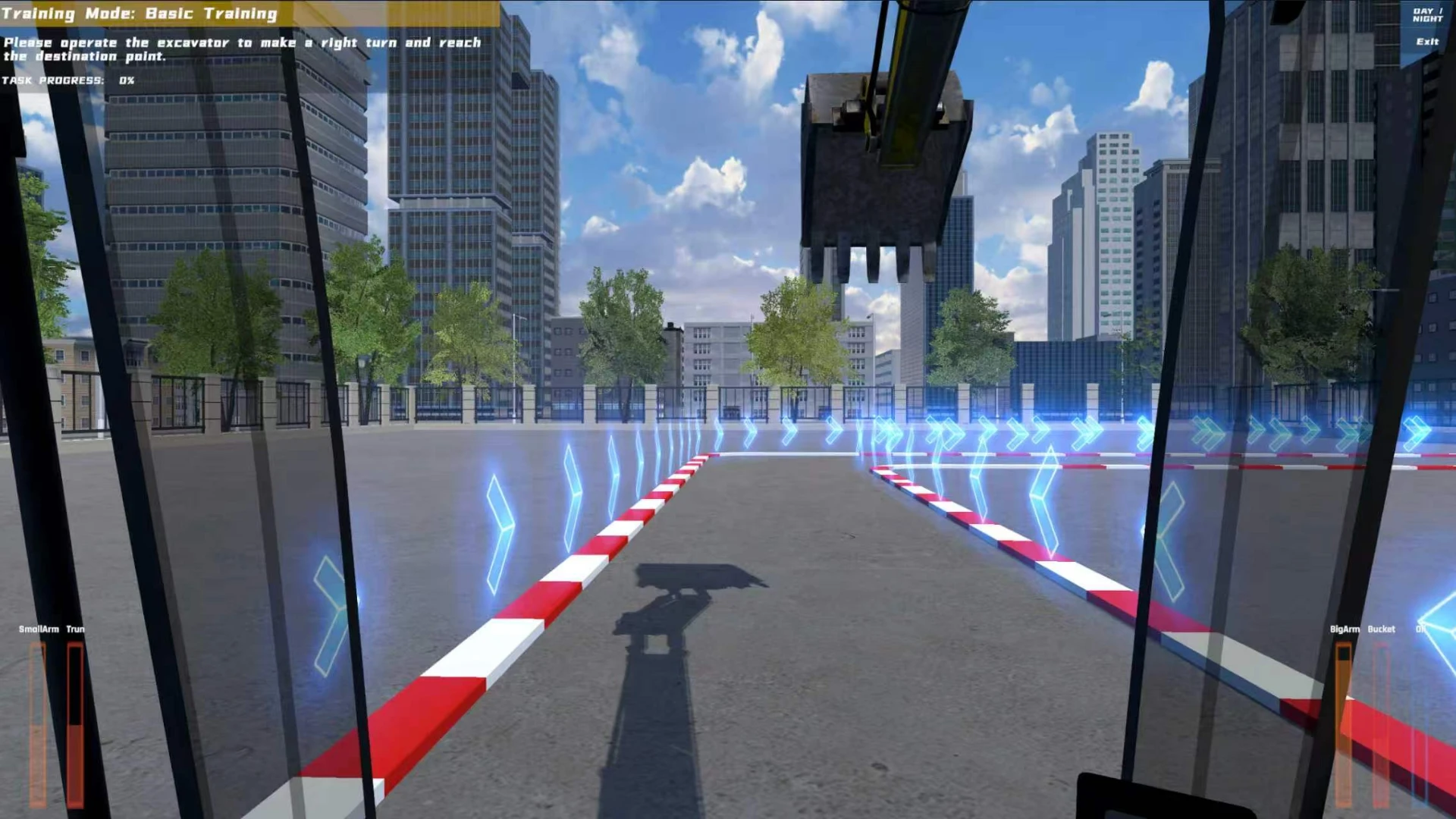
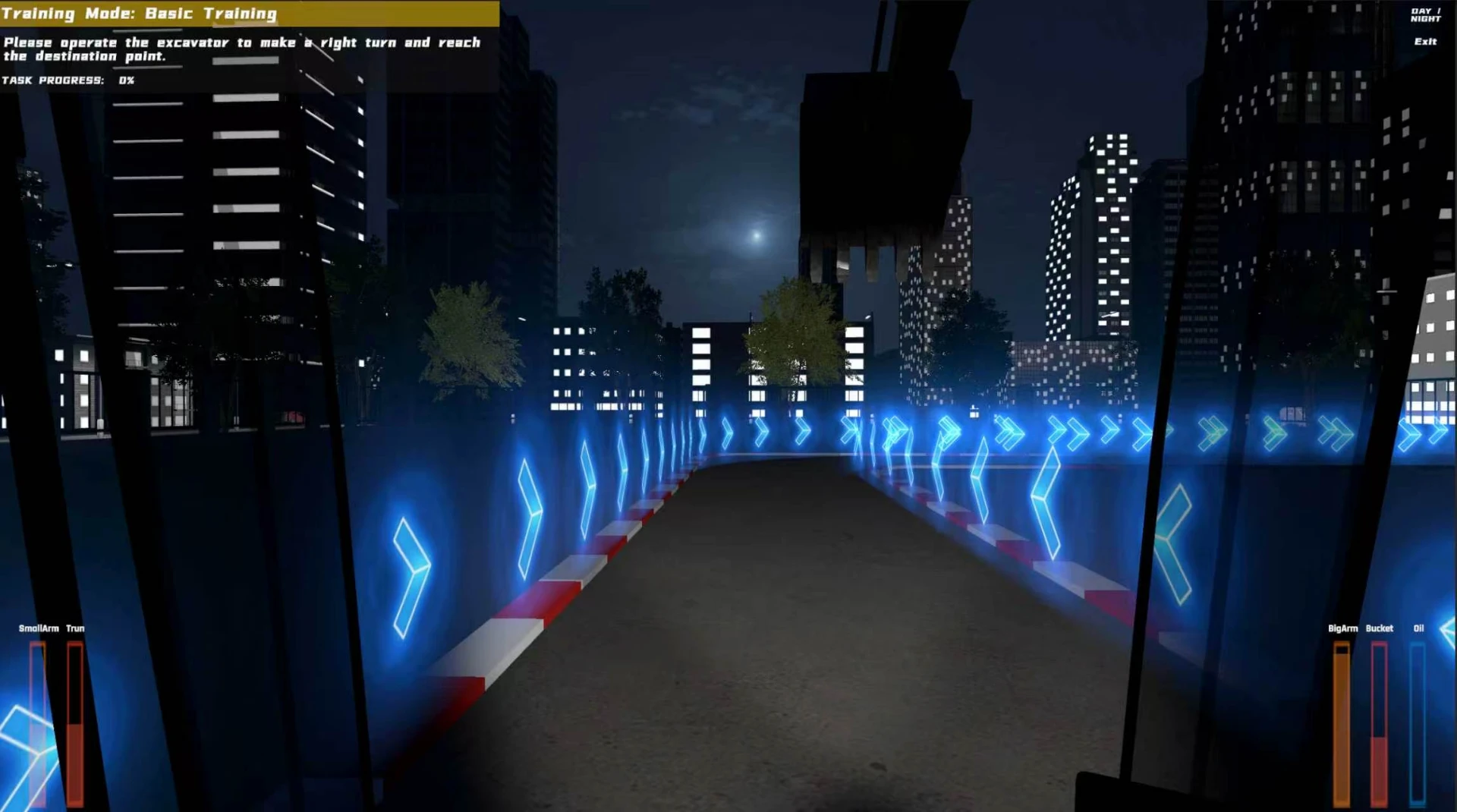
Switch between day and night scenarios indoors to practise route following and work-area observation.
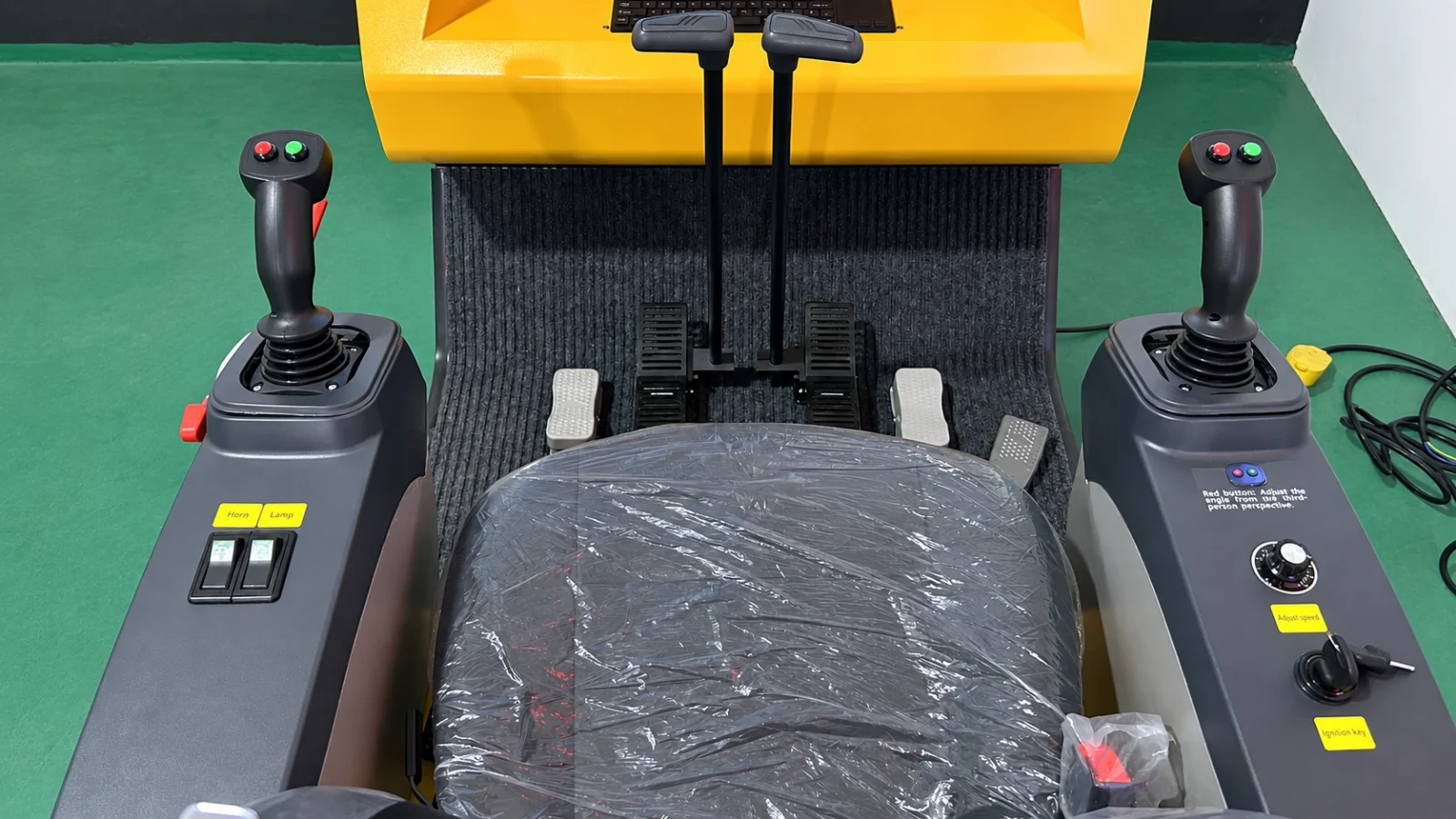
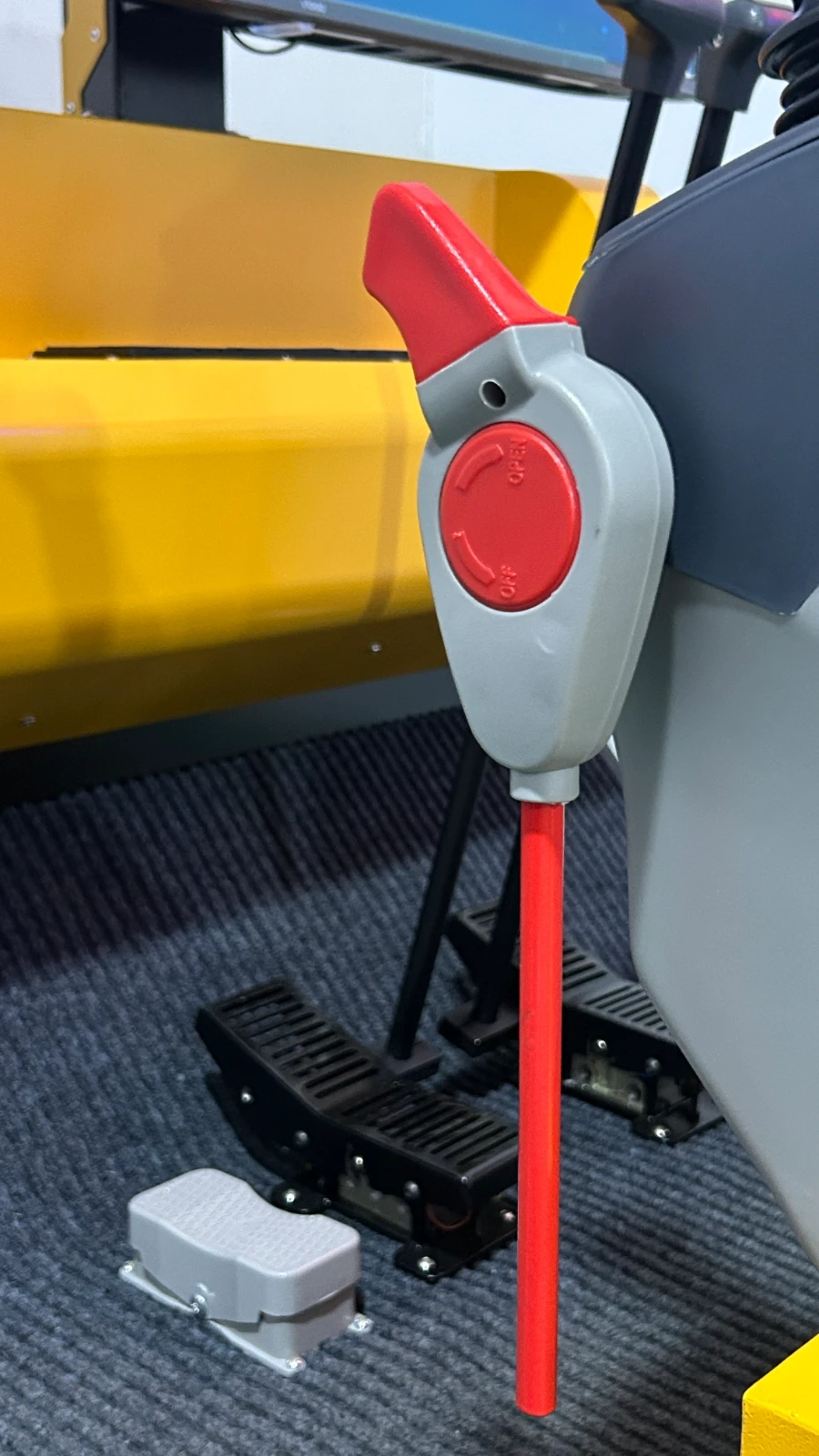
Learn the driving position through twin joysticks, pedals, levers, throttle and ignition switches before operating real equipment.
Support consistent basic teaching for transport operators and colleges; vehicle types, scoring and reports depend on the delivered software.
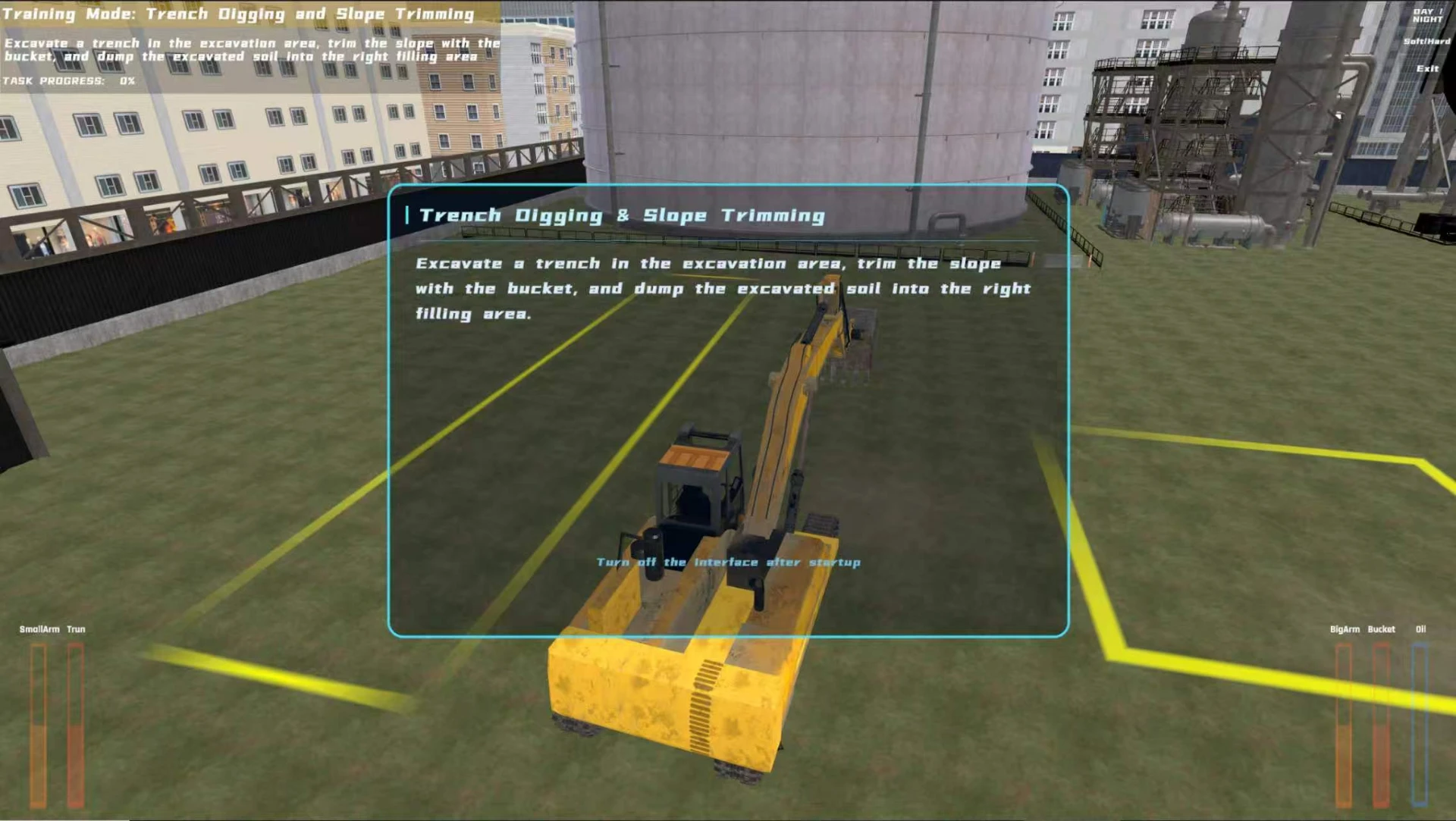
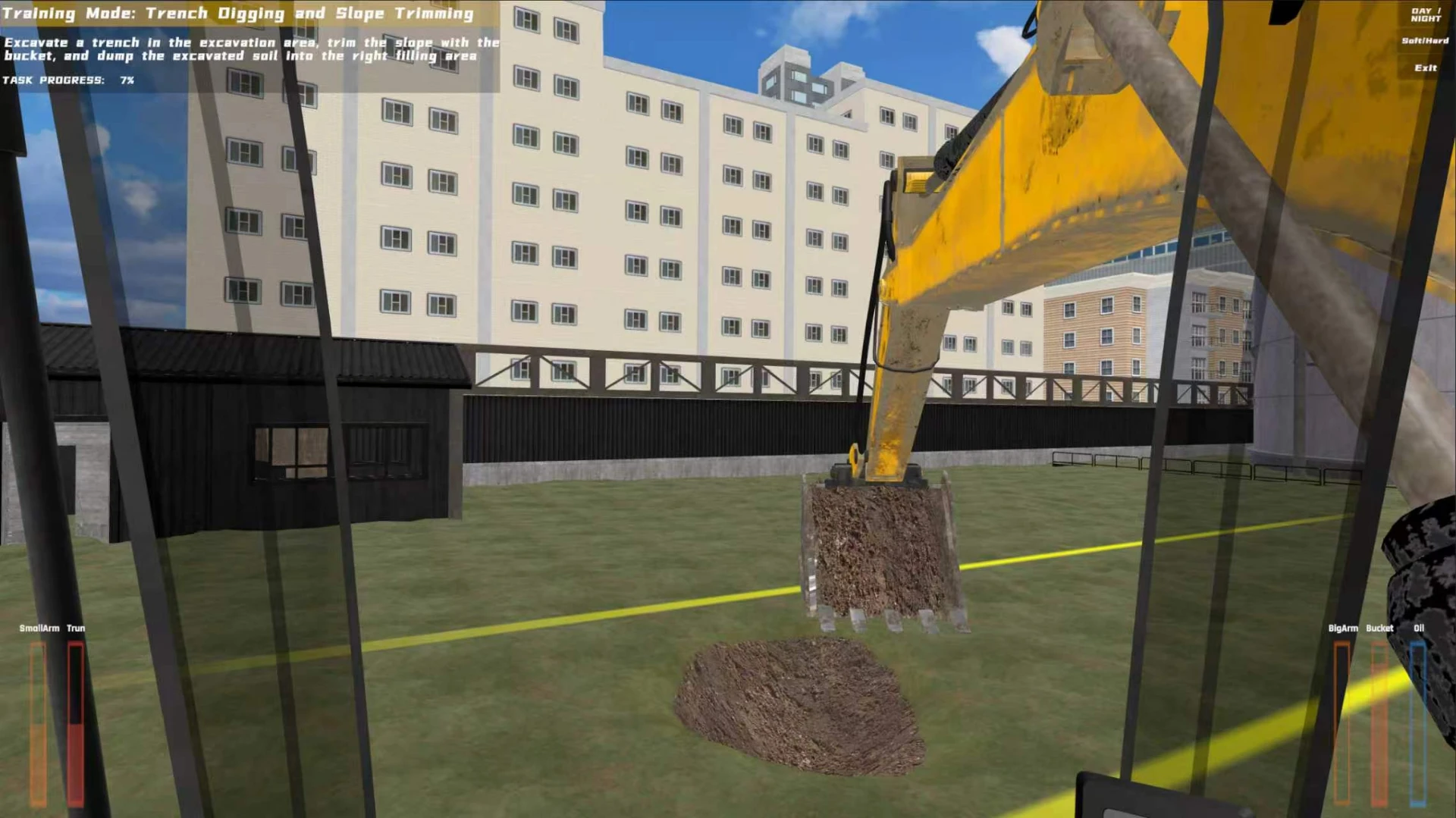
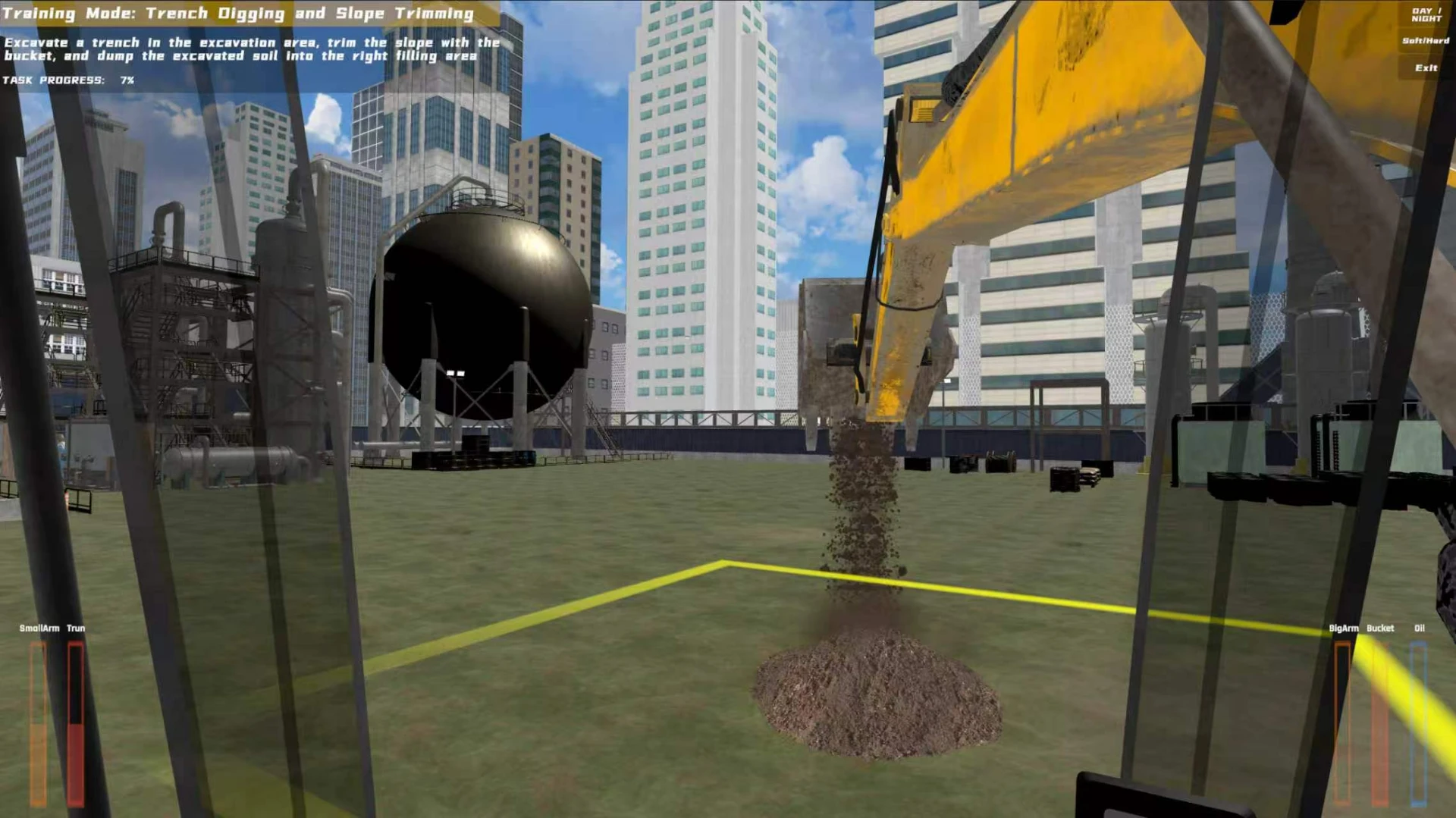
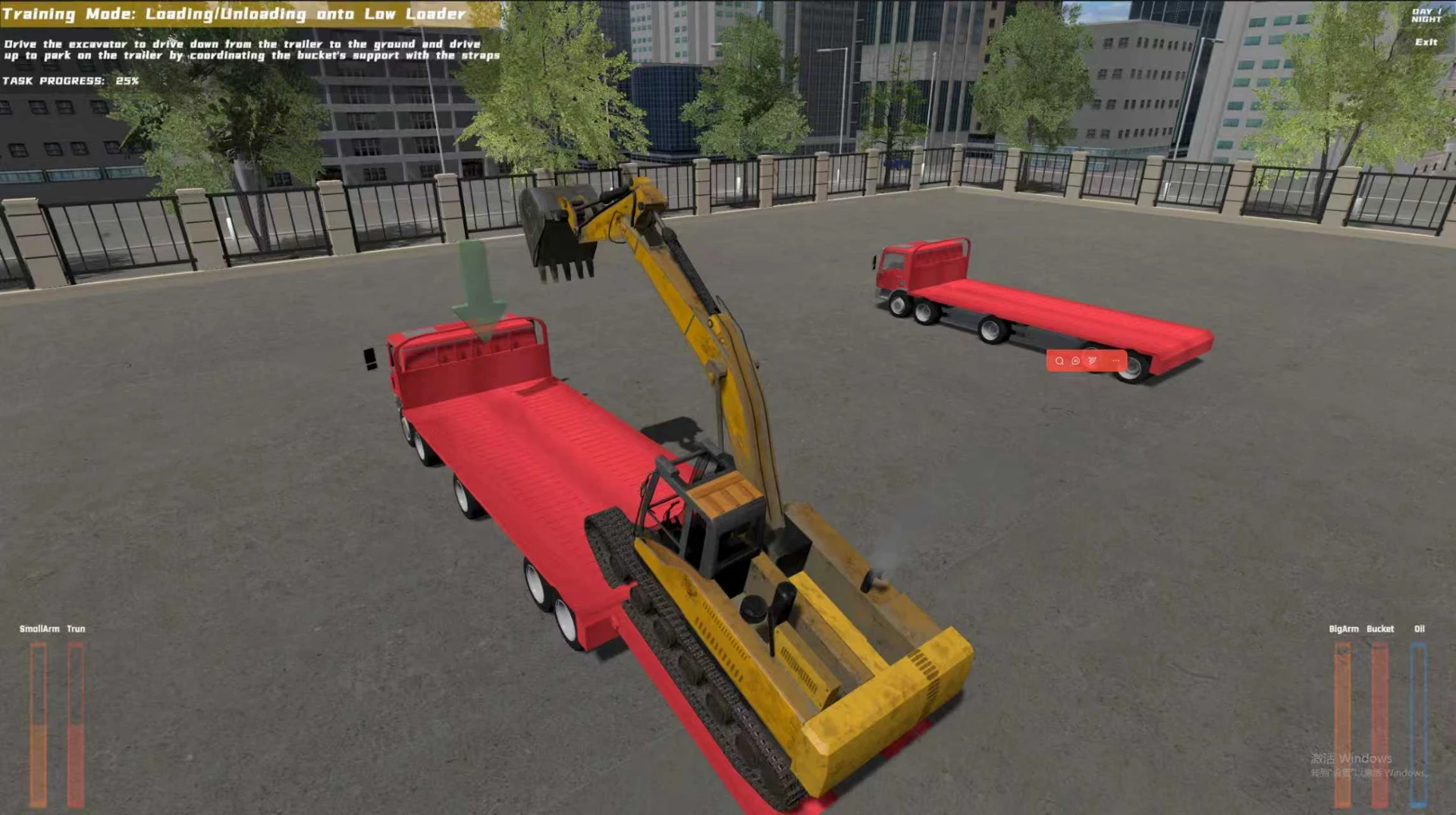
Trenching and slope work, material loading, road levelling and trailer loading tasks combine instructions and progress feedback to teach operating procedures.
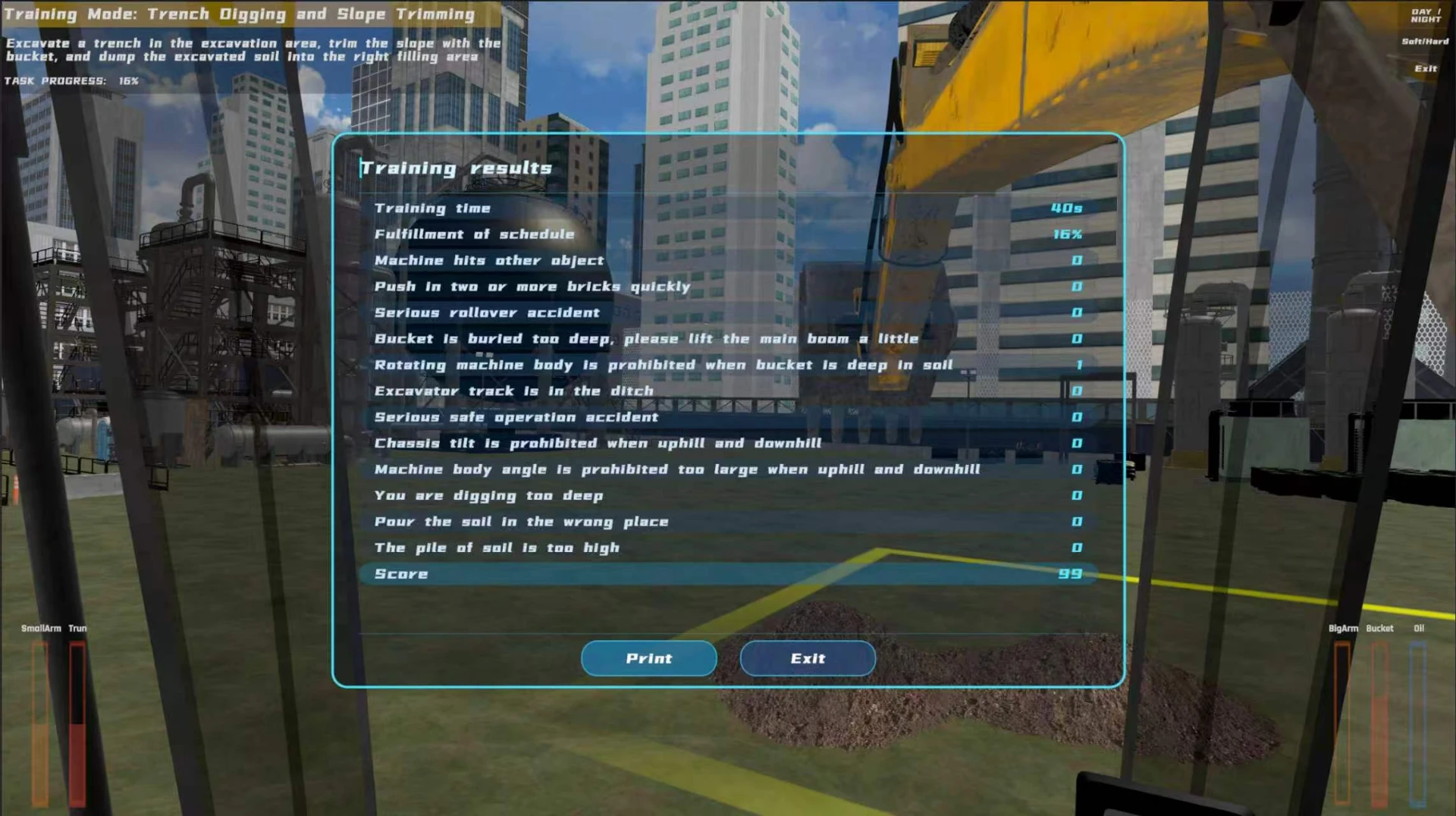
Review recorded collisions, rollovers, swing with the bucket in soil and tracks entering trenches to analyse mistakes and discuss site safety.
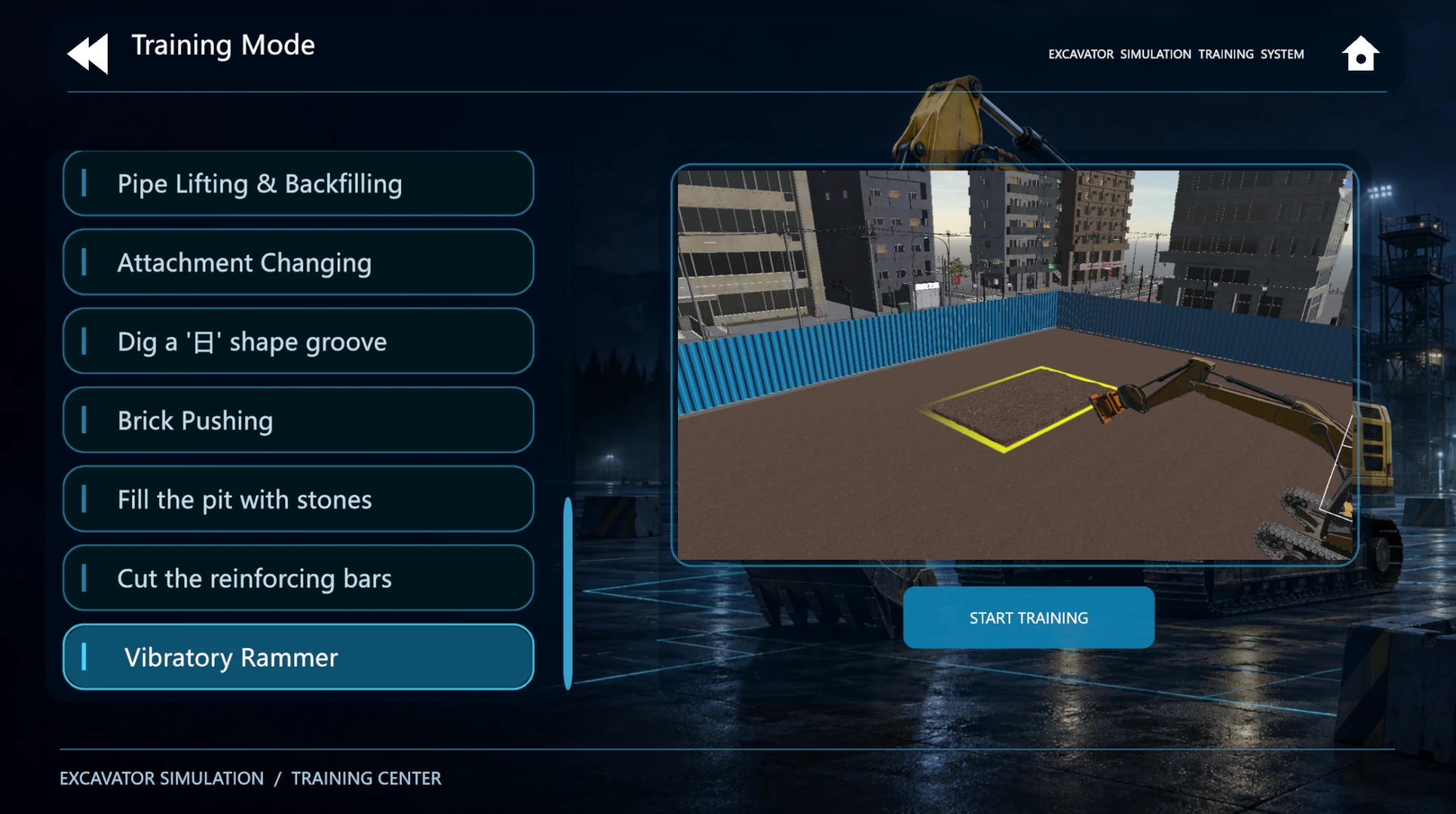
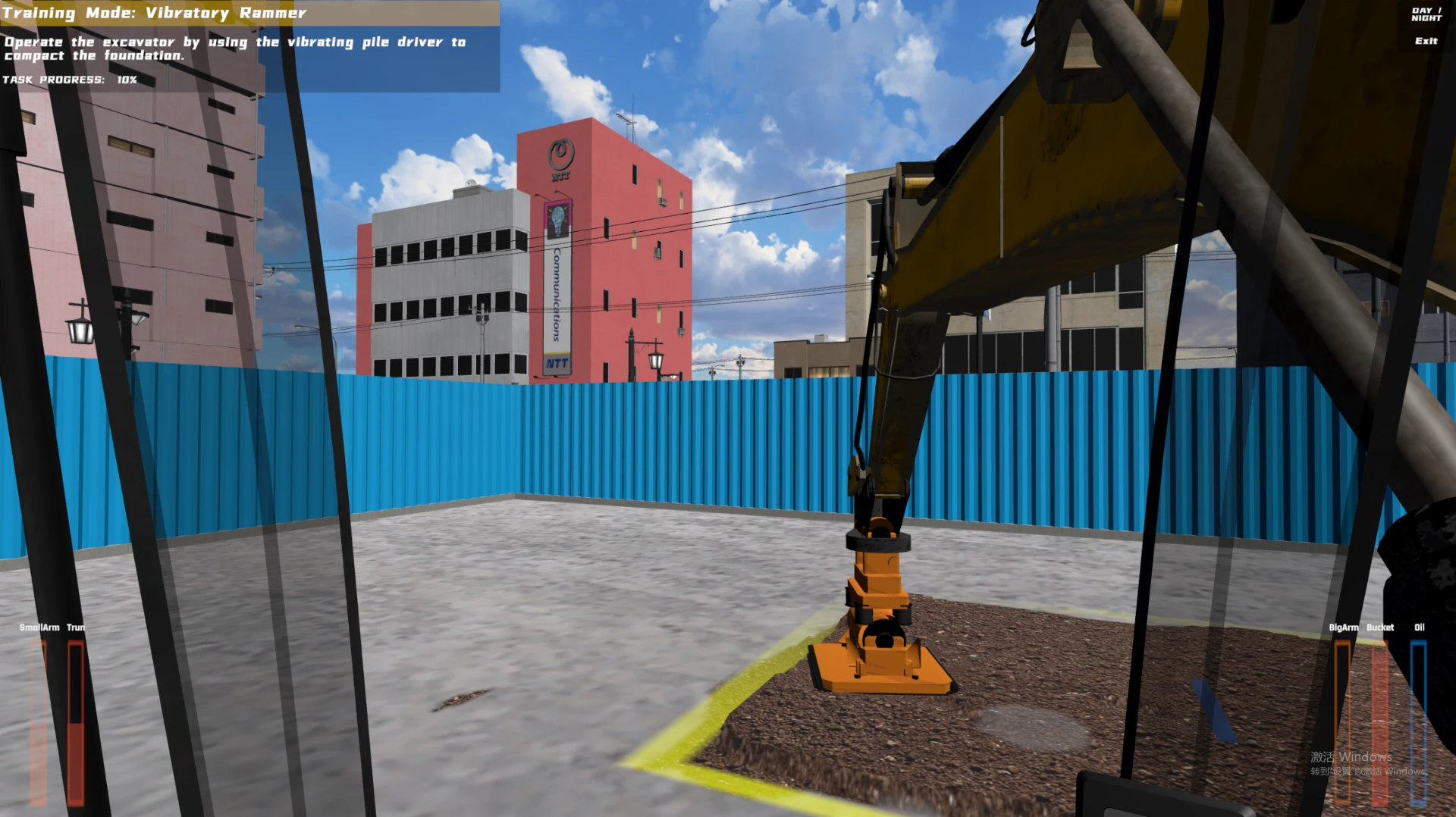
Attachment changes, pipe lifting and backfilling, rebar cutting with hydraulic shears and vibratory compaction support varied demonstrations and practice.
Support new-operator familiarisation and refresher practice; use time, progress, errors and scores to review performance and plan targeted repetition.
Standard configuration
Instructor workstation, VR headset and motion platform are available by project; scope and specifications are confirmed with the order.
One of each listed standard item is supplied. Detailed specifications and optional configurations are confirmed with the order.
Equipment demonstrations
Click to play, then pause, seek or view full screen. Videos do not autoplay.
Operator view of equipment use and physical controls. 1080p · approx. 2 min 59 sec.
First-person view of simulated operation. 1080p · approx. 2 min 59 sec.
Operation simulation software
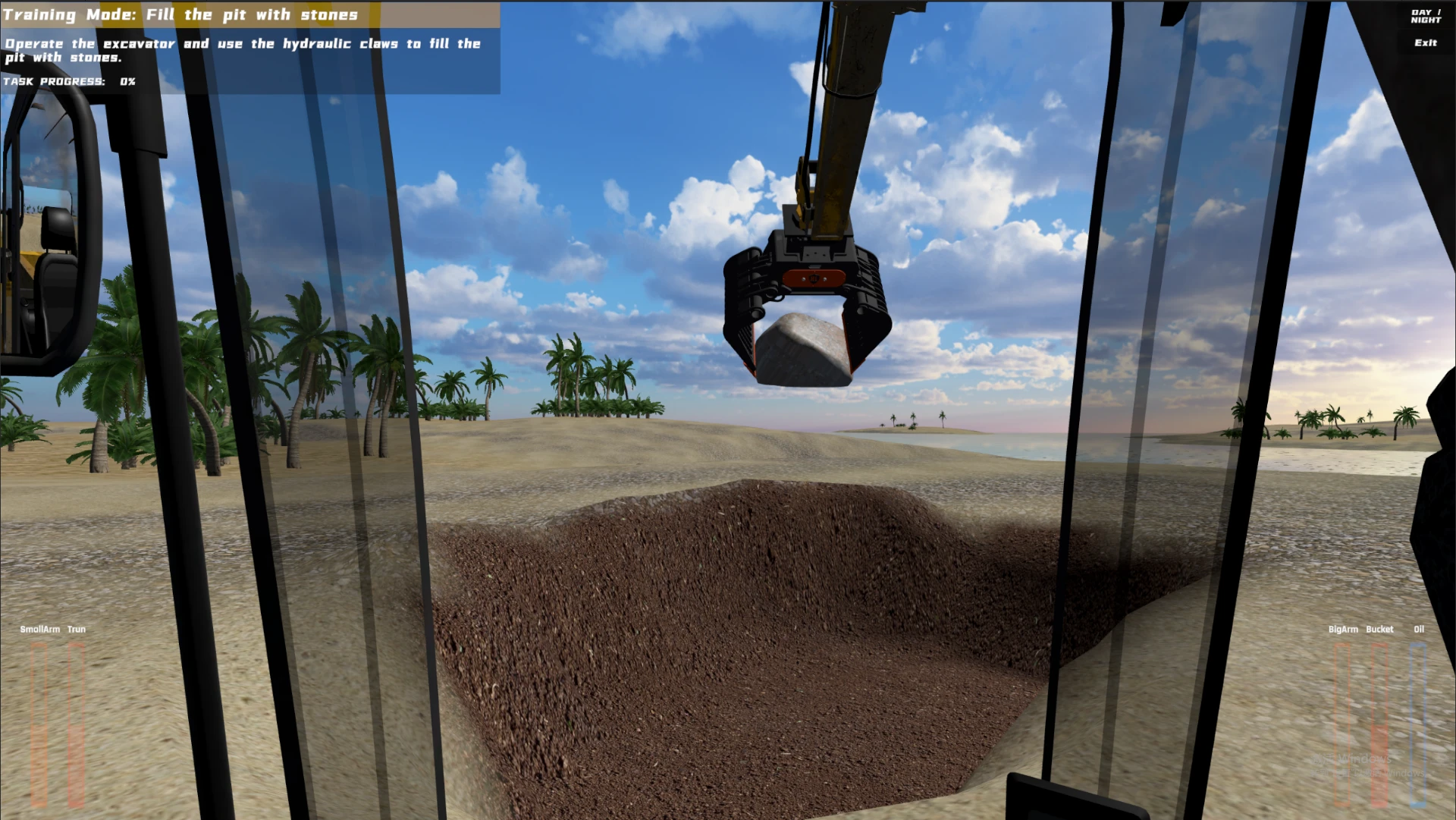
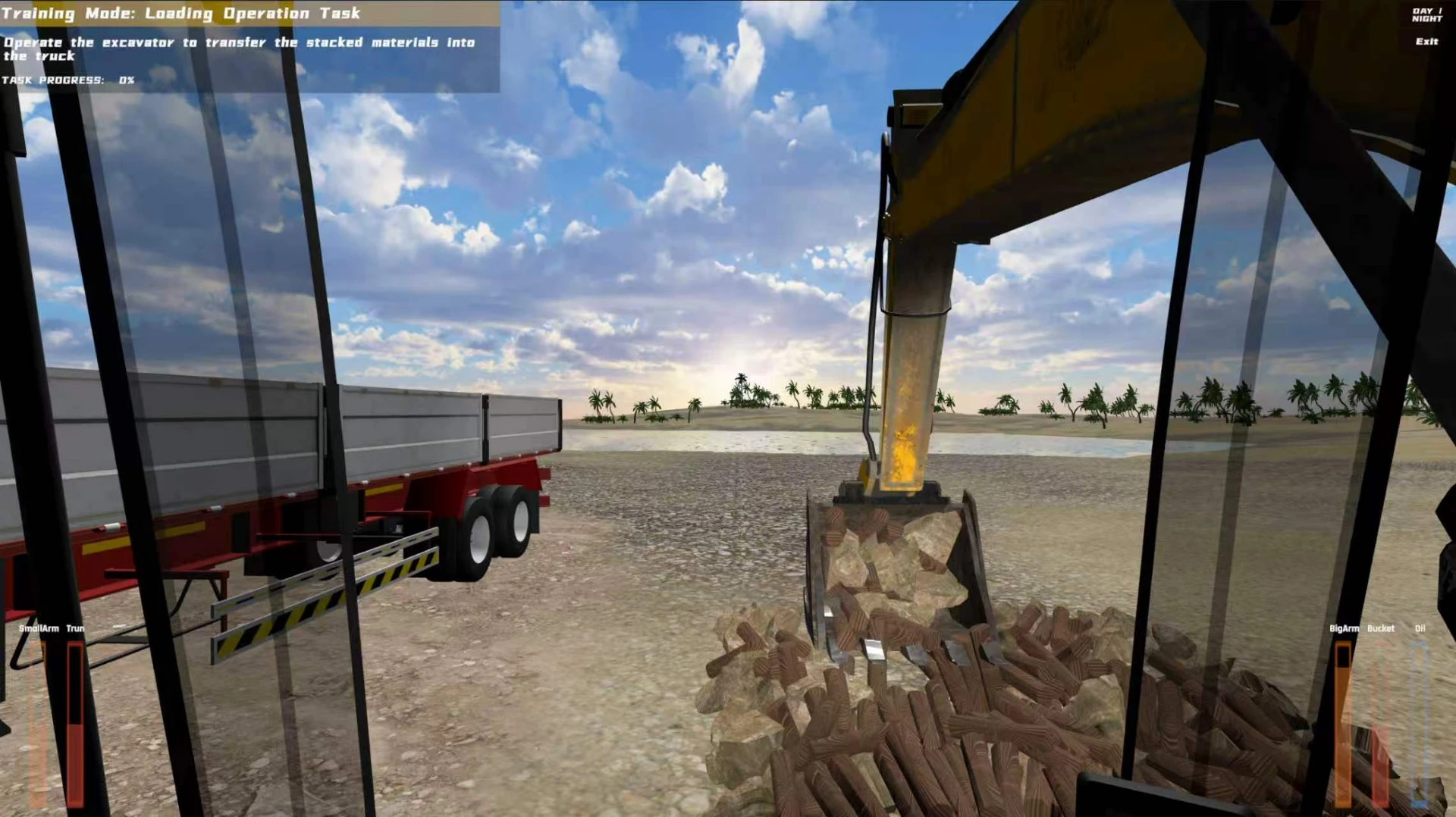
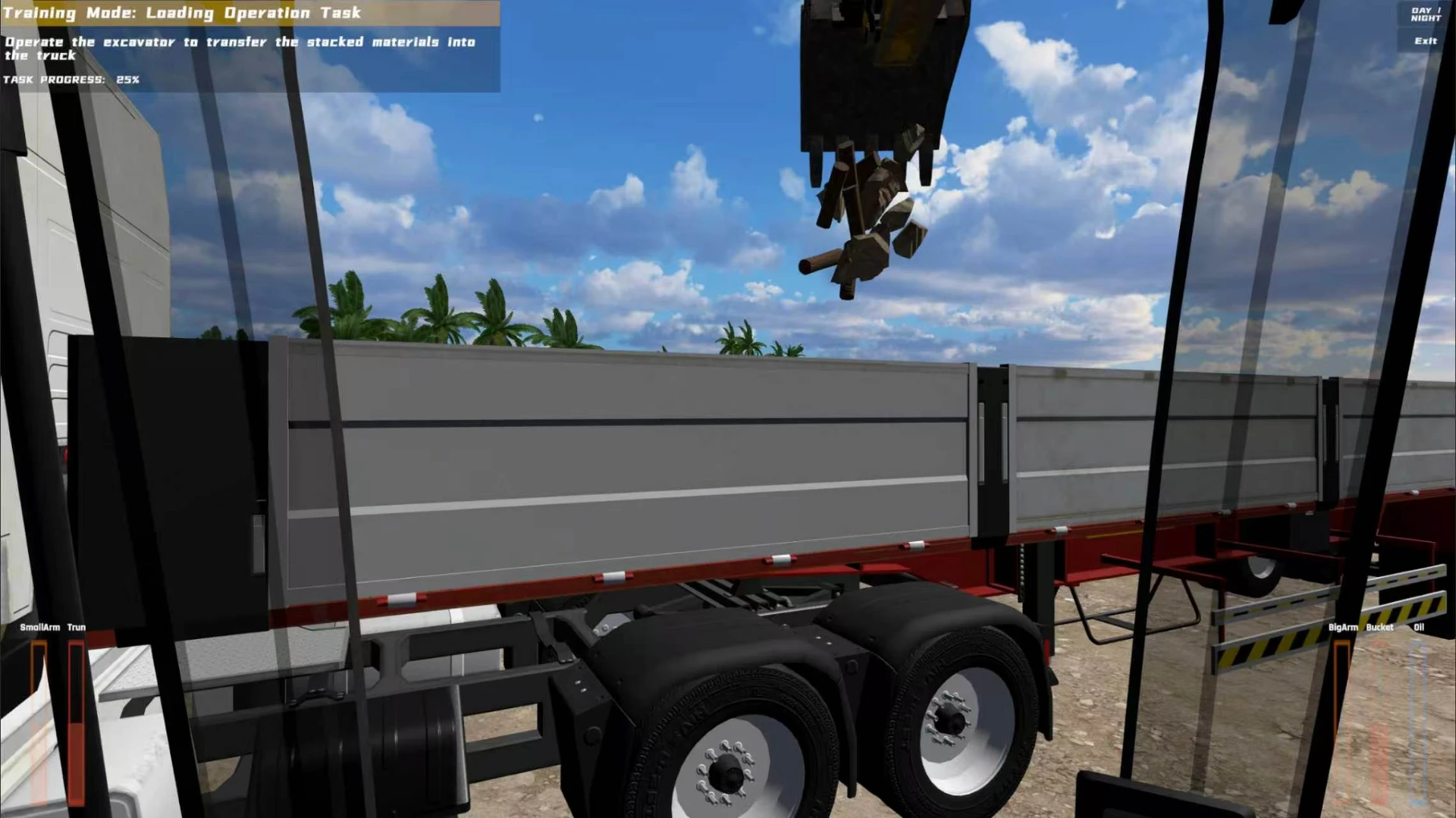
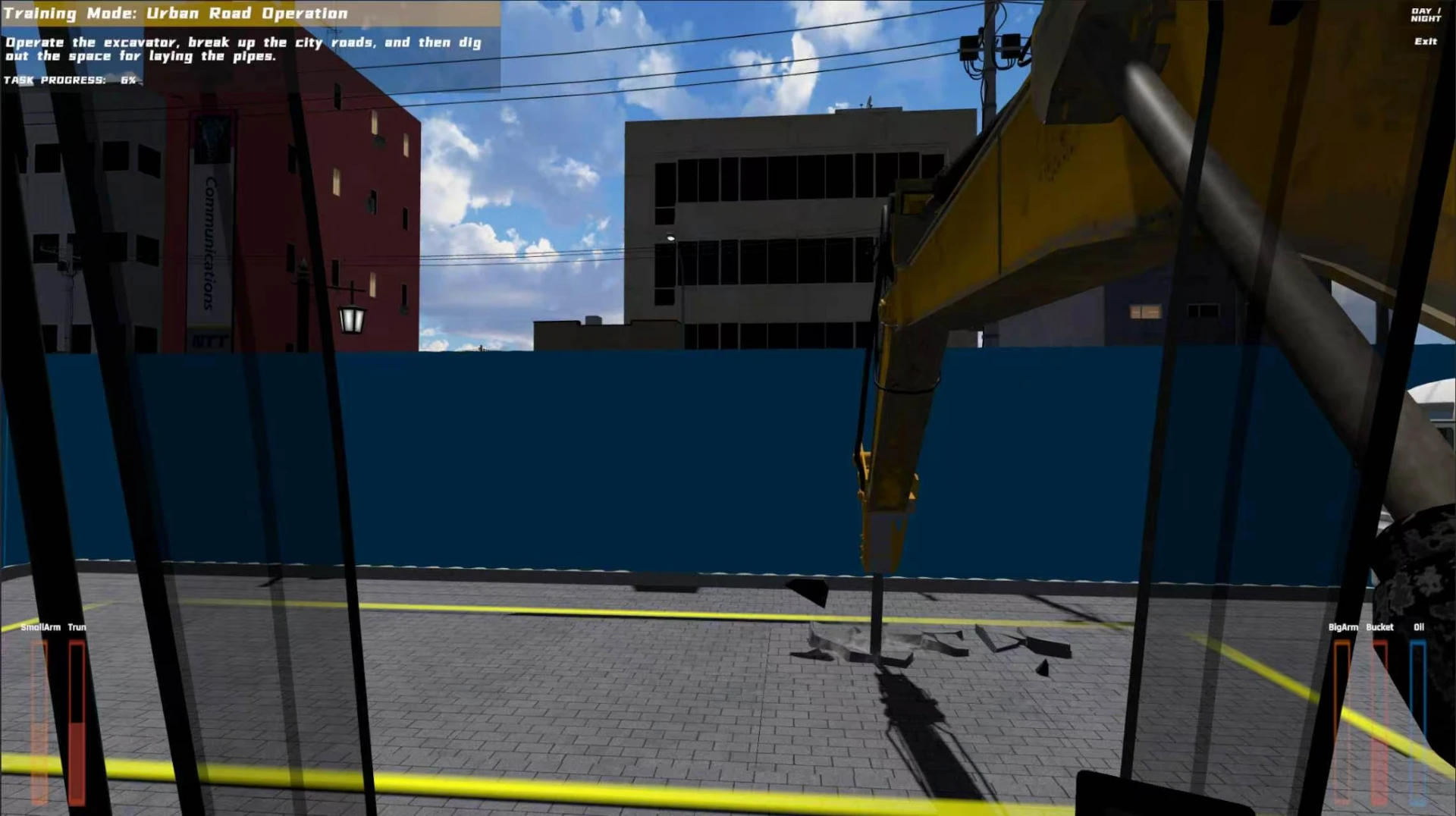
Screens show basic controls, travel and work training, day/night scenarios, results and errors. The supplied screenshots follow learning entry, basic operation and work processes; click for the originals.
Twin joysticks, foot controls, levers and switches support travel, swing, boom, stick and bucket training, with task progress and control-state feedback.
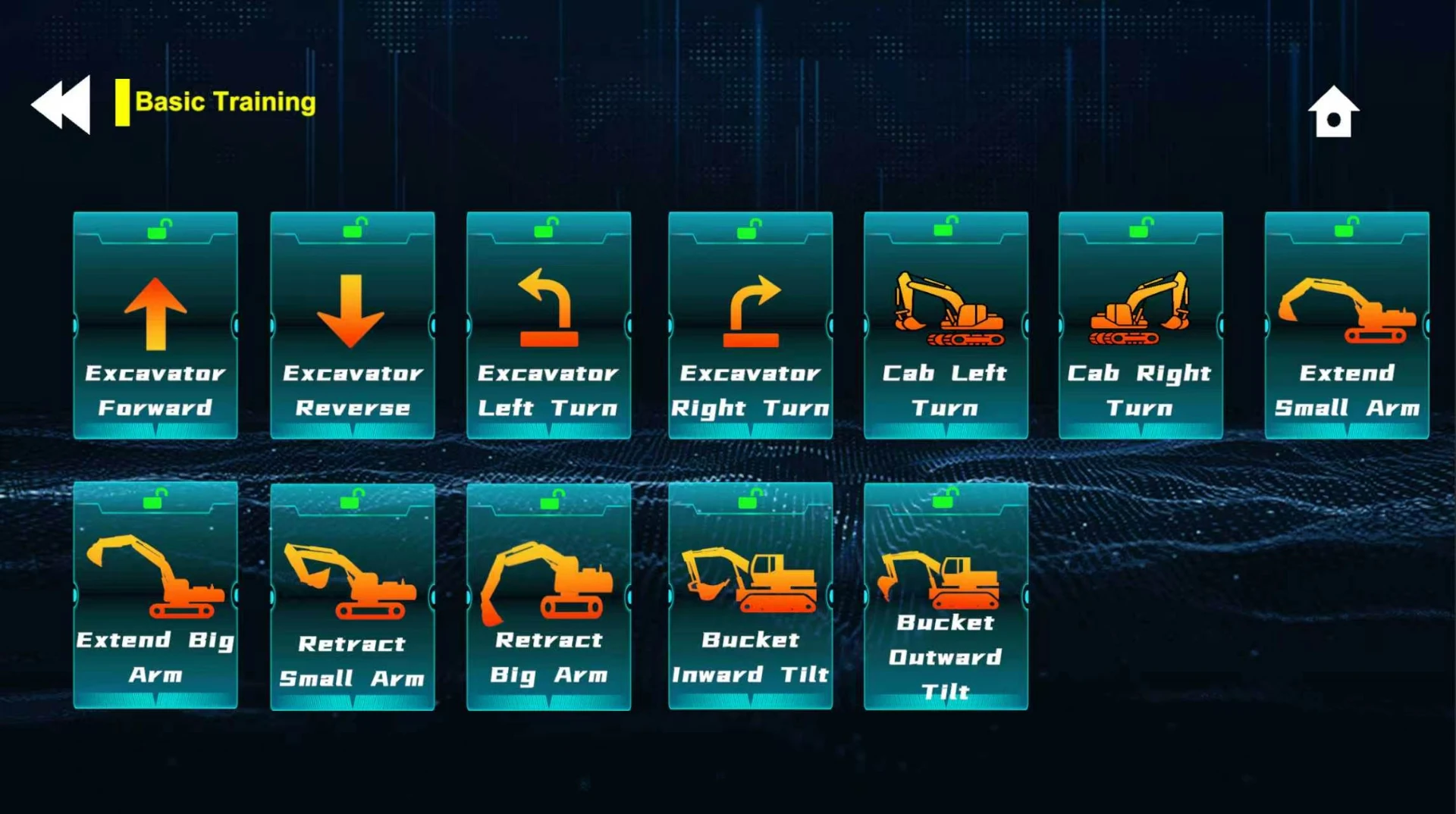
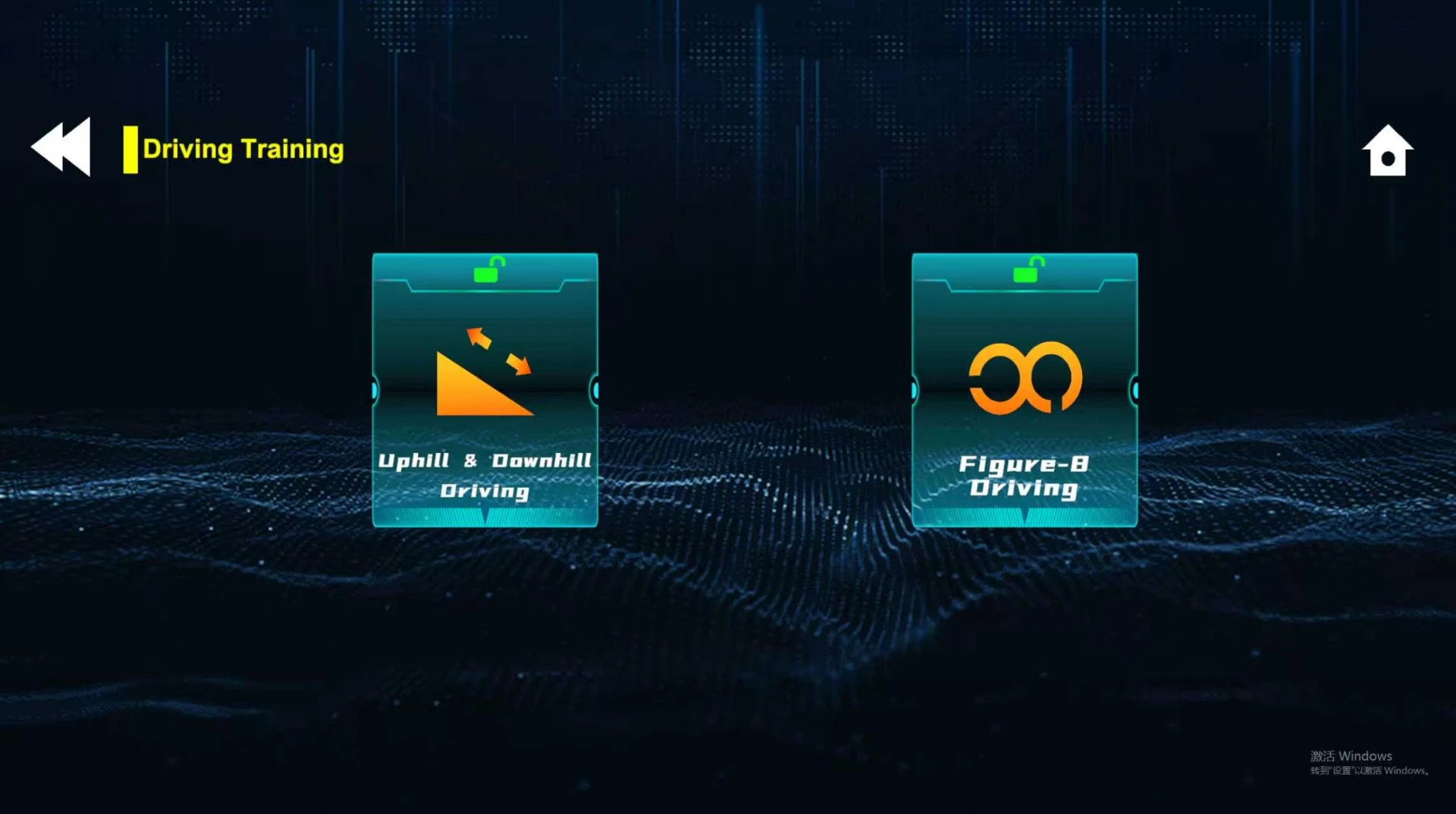
Basic menus include forward/reverse travel, left/right turns, cab swing in both directions, boom and stick movements, and bucket curl and dump.
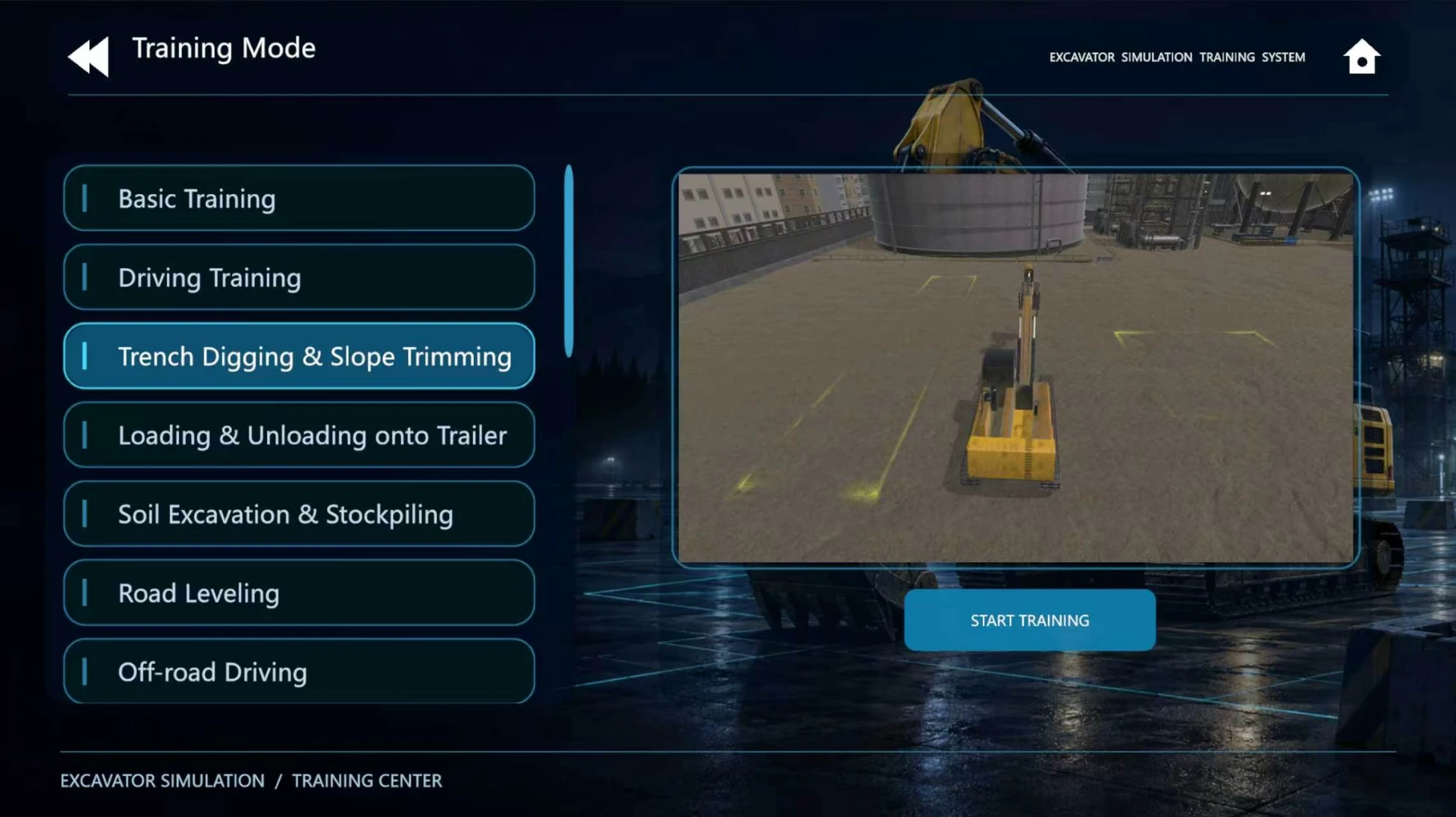
Menus show travel, trenching and slope work, trailer loading, excavation and stockpiling, road levelling, off-road travel, pipe lifting and backfilling, attachment changes, grid trenches, brick pushing, stone filling, rebar cutting and vibratory compaction; material loading and urban road works are also shown.
Screens show day/night training, route guidance and marked work areas. Trenching screens include Soft/Hard controls; their meaning and additional weather options are confirmed with the software configuration.
Results record collisions, rollovers, excessive bucket burial, swing with the bucket in soil, tracks entering trenches and incorrect dumping. Dedicated emergency and fault-simulation scope is confirmed with the order.
Results show training time, completion, error counts and total score. Deduction rules and assessment standards are confirmed for the delivered course.
The result screen includes printing. An optional instructor workstation supports saved results, history queries and data export; formats and report layouts depend on the delivered version and order.
Task instructions, progress, route or work-area guidance and boom, stick, swing, bucket and throttle states are displayed. Interior and exterior views are shown; view-switching controls depend on the delivered configuration.
One interface language is preinstalled: English, Arabic, Spanish, Romanian or Ukrainian, selected when ordering. VR, 3DOF or 6DOF motion, instructor workstation and software customisation are optional, with compatibility confirmed by project.
This page shows only a selection of software features and interfaces. Features may be added or modified in future software versions. The delivered software version and feature set are subject to the order confirmation.
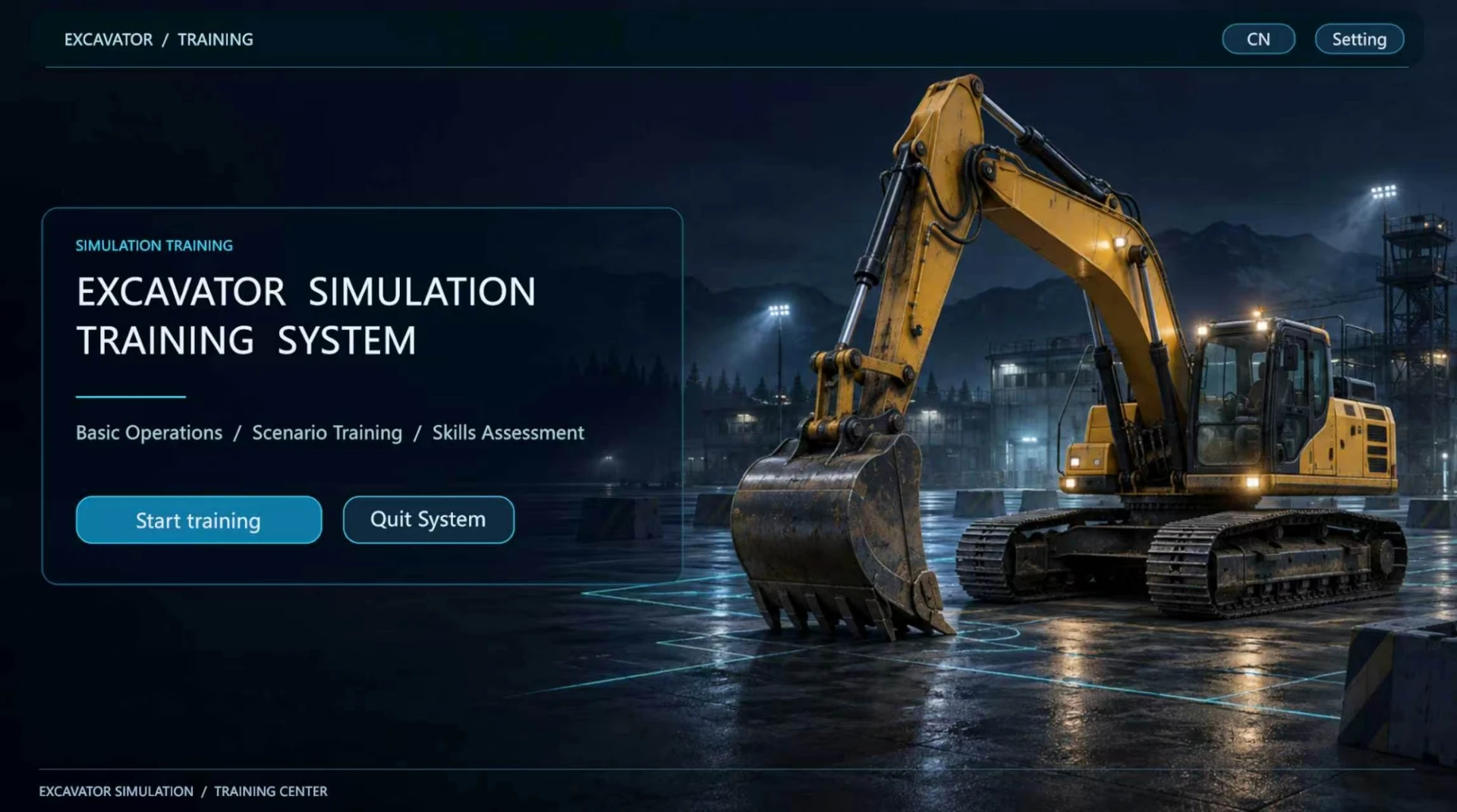
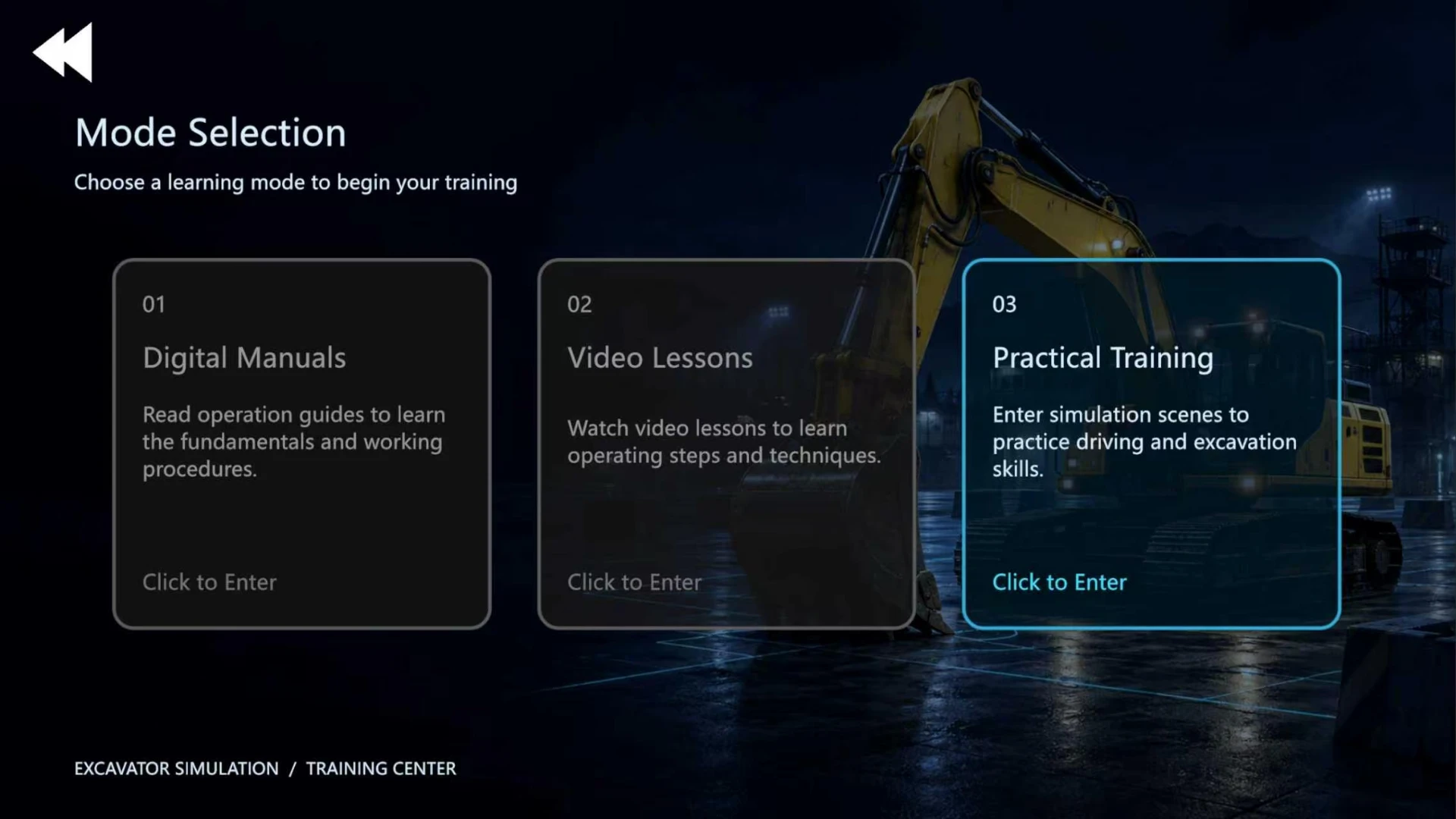
The optional instructor workstation provides terminal status, excavator task selection, training records and error details. Result storage and export, connection capacity and control scope are confirmed with the delivered software and order.
The interface lists terminal ID, status, student ID, name, current task and screen-link status, with task assignment and batch assignment controls. Connection capacity and control scope are confirmed per project.
Select basic, driving or practical training. The practical list includes trenching and slope trimming, truck loading, ground leveling, pipe lifting and backfilling, and attachment tasks. Available courses depend on the delivered configuration.
Filter by name, student ID, training scene, time or score. View simulator type, exercise, start and end times, duration and score, and open training details.
Training details show incorrect operations, error counts and point deductions, with a print control for post-session review. Scoring rules, printing setup and export formats depend on the delivered software.
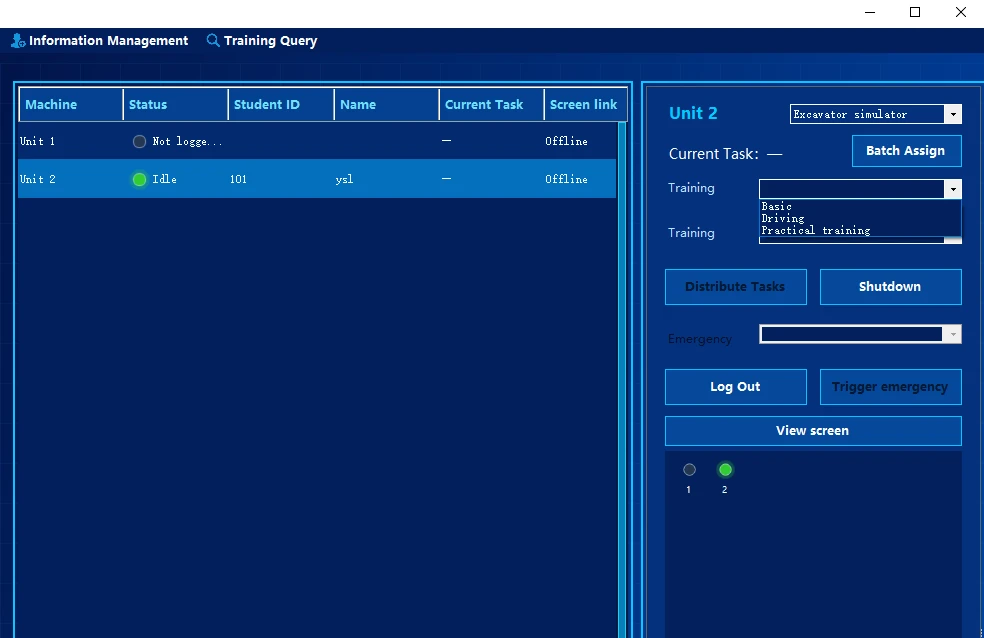
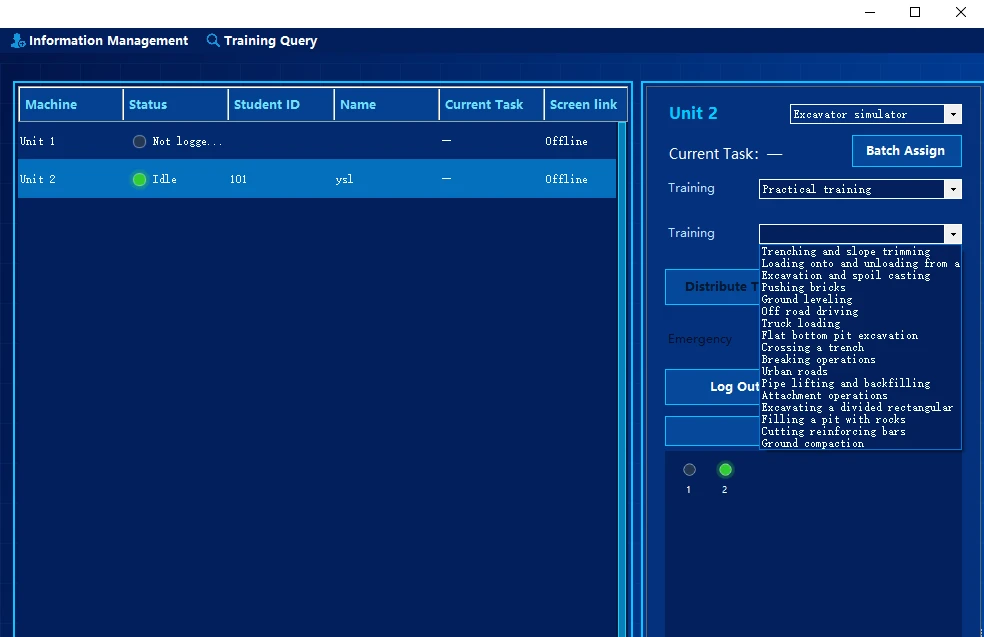
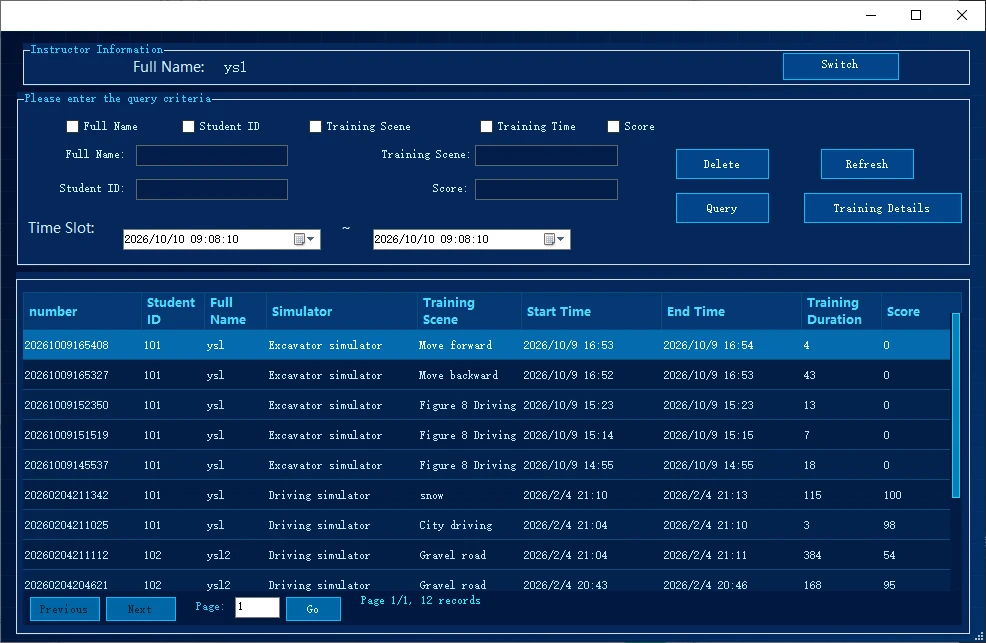
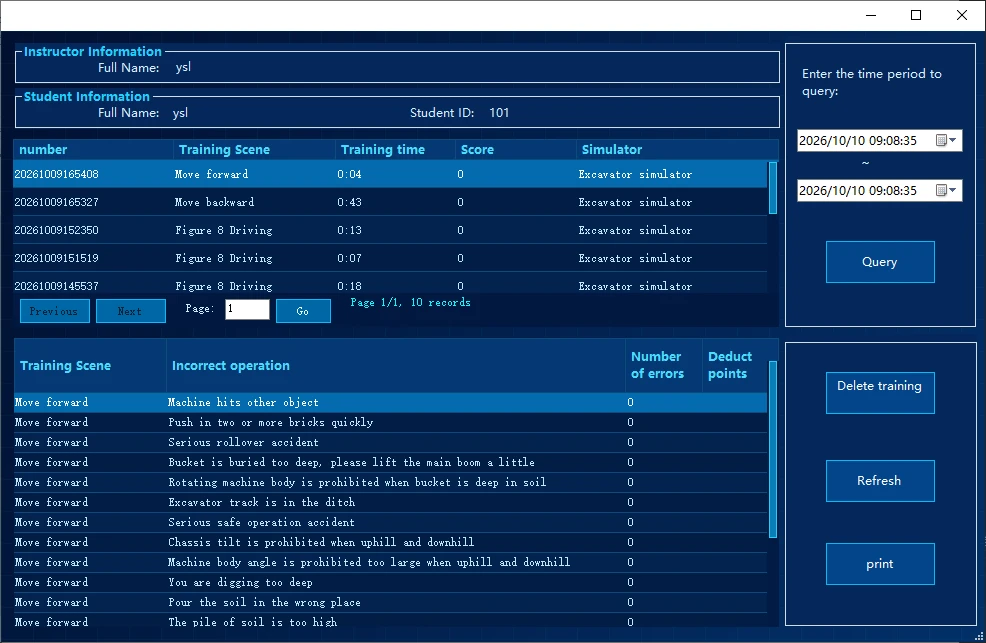
Screenshots show the English interface. Software language and optional workstation functions follow the confirmed order configuration.
REAL PRODUCT DETAILS
Click an image to view the original.
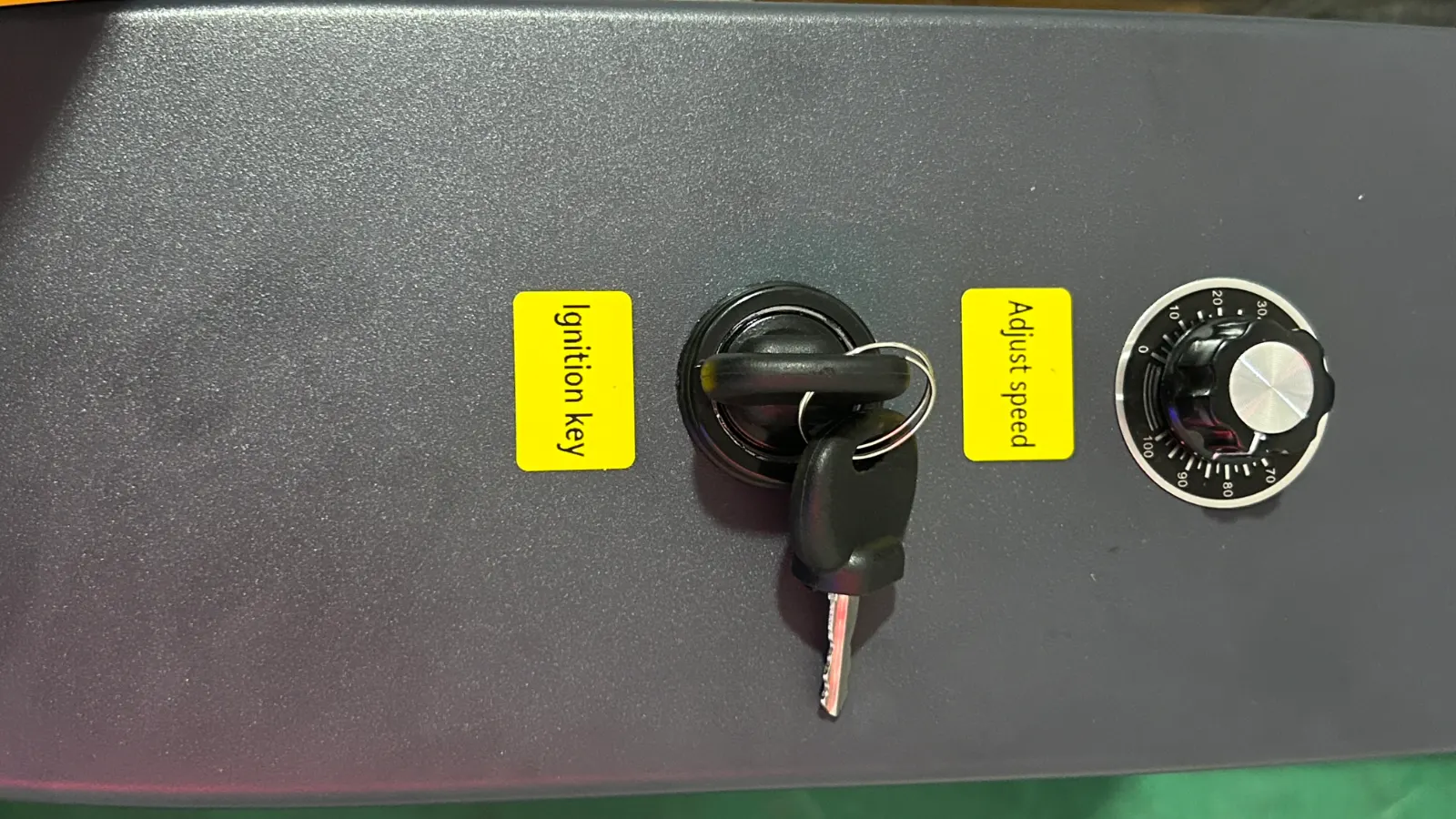
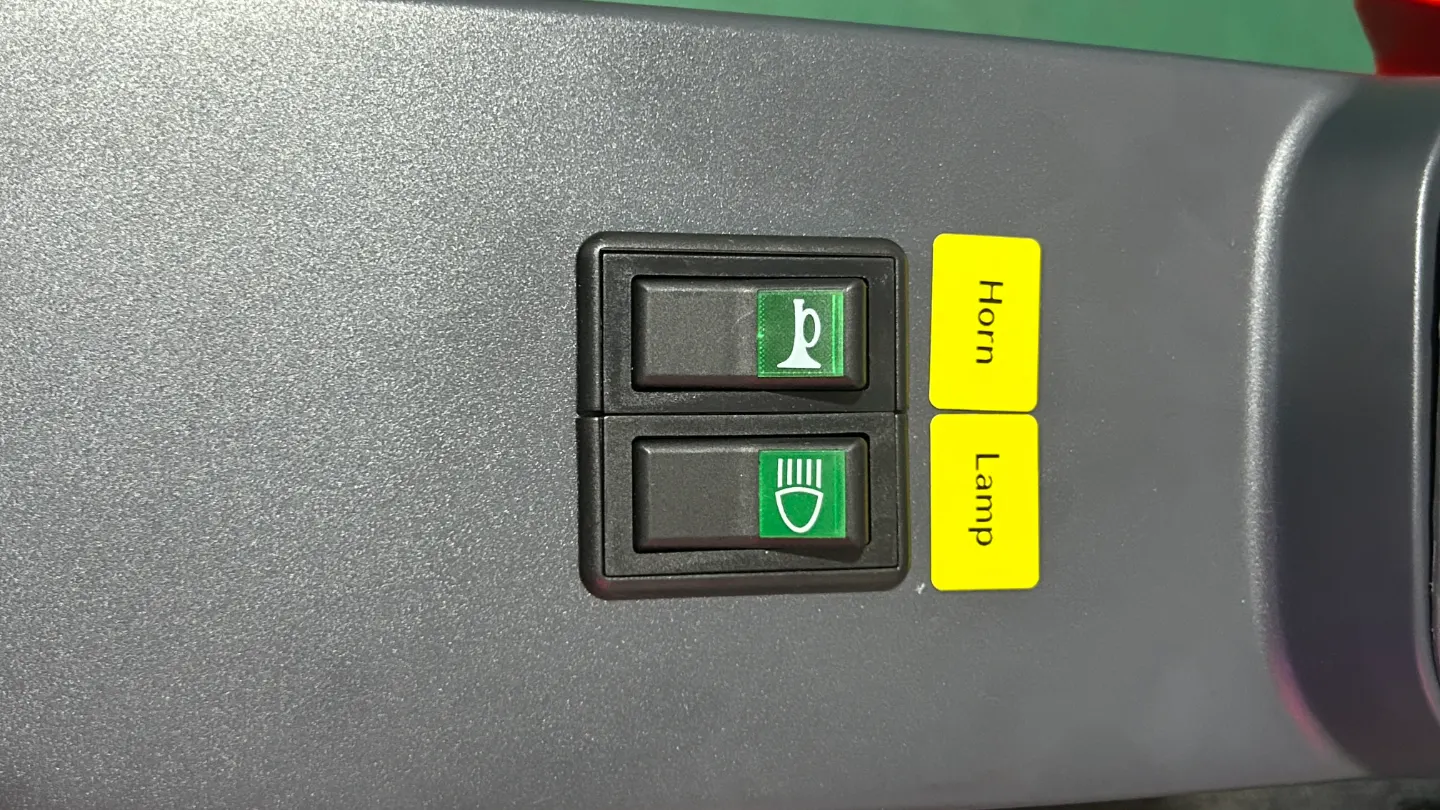
TECHNICAL DATA
| Standard specificationsDelivery scope confirmed with the order | |
|---|---|
| Product / model | Excavator simulator / YSL-EXC-S40-V1 |
| Machine type | Tracked excavator |
| Product form | Static; fixed base without motion feedback |
| Display system | One 40-inch flat-panel TV; resolution 1920 × 1080 (Full HD) |
| Standard colour | Black + yellow; other colours can be customised by project and confirmed with the order |
| Overall dimensions | 1350 × 900 × 1410 mm (L × W × H) Tolerance: ±10 mm. Overall height includes castors and is measured to the top of the display. |
| Net equipment weight | Approx. 138 kg |
| Packing dimensions / gross weight | Wooden crate: 1400 × 1050 × 1220 mm (L × W × H); gross weight approx. 240 kg; one crate |
| Power supply and maximum consumption | Standard input: AC 220 V (±10%), 50 Hz, 600 W Power input can be adapted to local supply standards, including AC 110 V. Voltage and frequency must be agreed at order confirmation and recorded in the final specification. |
| Computer configuration | Intel Core i5-6500; Gigabyte H110M-S2PH; GTX 1660 6 GB; 8 GB RAM; 128 GB SSD Reference configuration. Brands or models may change with availability; replacements will provide equivalent or better performance, subject to the final order specification. |
| Pre-installed software language | One software interface language is preinstalled: English, Arabic, Spanish, Romanian or Ukrainian. Select the language at order confirmation. |
| Physical controls | Twin joysticks, foot controls and levers, throttle, ignition, lights, horn and mechanical switches |
| Operating environment | 0–35 °C; 20%–80% RH, non-condensing |
| Optional extensionsNot included as standard; confirmed by project | |
| Motion platformOptional | A 3DOF or 6DOF motion platform can be configured; platform type, payload and motion parameters are confirmed per project |
| VR headsetOptional | VR headset and display solutions available by project; models, software compatibility and scope are confirmed for the application |
| Instructor workstationOptional | Optional instructor workstation supports saved results, history and export; hardware, terminal capacity and export formats are confirmed with the order |
| Software customisationOptional | Software customisation available; features, lead time and cost are agreed for each project |
DELIVERY & SUPPORT
Usually about 2–3 weeks after payment, subject to the confirmed order and configuration.
One export wooden crate per unit; see the specifications for packed dimensions and gross weight.
Software, hardware and overall operation are checked before dispatch.
A user manual is supplied. Remote installation guidance and operator training can be provided when required.
One-year hardware warranty. Standard new software features may be upgraded free of charge; confirm applicable conditions with sales.
Remote troubleshooting assistance is available; overseas on-site service is not currently provided.
Product documentation
Download product information matching this page’s configuration, specifications and software description.
PROJECT ENQUIRY
Share the country, learner group, quantity, display needs and requirements for instructor workstation, VR or motion; configuration and compatibility are confirmed by project.
Request configuration and pricingAdvertising measurement
With your permission, we use Google Ads cookies to measure which ads lead to successful inquiries. You can reject measurement and still use the inquiry form. We do not send your form answers to Google or enable personalized advertising.
Cookie notice